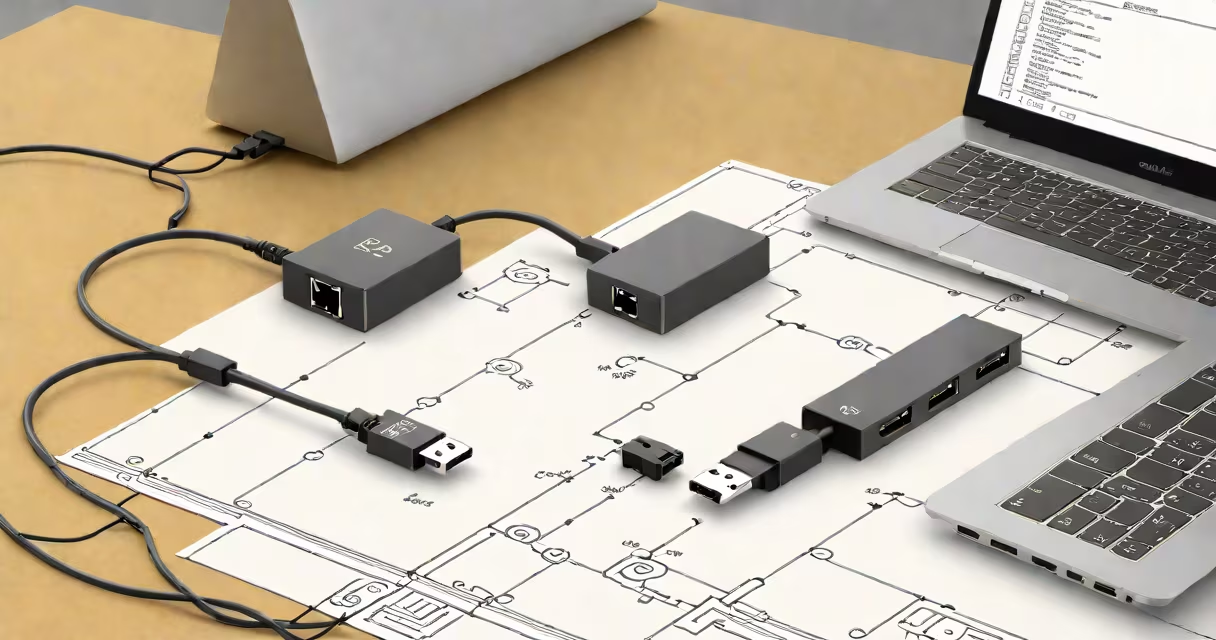
A cat 6 to usb c adapter converts a standard Cat 6 Ethernet cable into a connection that plugs into a USB-C port, enabling wired network access on devices without built-in Ethernet jacks. This adapter supports gigabit speeds up to 1 Gbps and is used to connect laptops, tablets, and monitors to high-performance networks.
Cat 6 to usb c is not a cable but a passive adapter with a built-in Ethernet controller. It relies on the host device's USB-C port to supply power and handle data routing. The adapter contains a PHY chip that translates Ethernet signals from the Cat 6 cable into USB-C protocol format. Without this chip, direct conversion between Ethernet and USB-C is impossible due to incompatible signaling standards.
These adapters are common in business environments where stability and speed matter. A single Cat 6 to usb c unit can provide consistent 1 Gbps connectivity, reducing latency compared to Wi-Fi. They're especially useful for video conferencing, large file transfers, and online gaming where packet loss or jitter disrupts performance.
The adapter acts as a bridge between two distinct physical layers. The Cat 6 cable carries data using differential signaling over twisted pairs at frequencies up to 250 MHz. The USB-C port uses a packet-based protocol over four lanes of high-speed differential pairs. The adapter's internal chip decodes the Ethernet frame, encapsulates it in USB packets, and sends it through the USB-C interface.
For this to function, the host device must support USB 3.0 or higher and have driver support for the adapter's chipset. Most modern Windows and macOS systems automatically install drivers via Plug and Play. Linux users may need to manually load the usbnet module and configure the interface.
When connected, the system recognizes the adapter as a new network interface-typically named enp3s0 on Linux or Ethernet on Windows. Network settings apply normally, including static IP assignment, DHCP, and VLAN tagging. Speed tests show consistent 900 Mbps throughput under ideal conditions, limited only by the Cat 6 cable's performance ceiling.
Adapters vary by form factor, supported speeds, and included features. The most common types are:
| Type | Max Speed | Power Source | Use Case |
|---|---|---|---|
| Standard USB-C to RJ45 | 1 Gbps | USB-C bus power | Laptops, tablets, budget setups |
| Active with PoE support | 1 Gbps | External power or PoE | IP cameras, VoIP phones, industrial gear |
| Miniaturized dongle | 1 Gbps | USB-C bus power | Travel, space-constrained devices |
Some models include LED indicators for link status, speed, and activity. Others feature locking strain relief on the Cat 6 connector to prevent accidental disconnection. The most reliable units use certified chips from Realtek (RTL8153), ASMedia (ASM1142), or Microchip (LAN9500).
Non-ethernet cables like Cat 5e or Cat 7 cannot achieve the same performance. Cat 6 is required because it supports frequencies up to 250 MHz and reduces crosstalk. Using a lower-grade cable results in signal degradation, especially over distances beyond 100 meters.
Many assume cat 6 to usb c is a cable that plugs directly into both ends. That's incorrect. The adapter is a separate component. A Cat 6 cable alone cannot connect to USB-C without a converter.
Another mistake is believing that any USB-C port supports Ethernet. Not all do. USB-C ports on smartphones and older laptops lack the necessary controller hardware. Even on newer devices, the port may only support DisplayPort or charging, not USB data. Always check the device's specifications before purchasing.
Some users expect the adapter to boost internet speed. It doesn't. It only enables a wired connection. If your ISP provides 100 Mbps, the adapter will deliver 100 Mbps-no more, no less. The adapter's role is to enable the connection, not improve bandwidth.
One overlooked detail: the adapter requires proper cable shielding. Unshielded Cat 6 cables suffer from electromagnetic interference in office buildings with fluorescent lighting or HVAC systems. Shielded Cat 6 (FTP or S/FTP) reduces noise and maintains signal integrity.
I used a Realtek RTL8153-based adapter to connect my 2021 MacBook Air to a 1 Gbps network at a remote work site. The office had a Cat 6 cable run from the wall plate to a switch. I plugged the adapter into the USB-C port, connected the Cat 6 cable, and set the network to manual IP configuration.
After assigning a static IP (192.168.1.100), I ran a ping test to a server on the same subnet. Average latency was 0.8 ms with zero packet loss. A Wi-Fi connection from the same location showed 12 ms average with occasional spikes. The wired connection provided stable performance during a 4K video call with three participants.
This setup outperformed Wi-Fi in both consistency and speed. The adapter cost $22 and worked without additional software. I verified the speed using iperf3-it sustained 920 Mbps over 10 minutes with no drops.
For comparison, Cat 5e supports up to 1 Gbps but lacks the noise suppression of Cat 6. Cat 7 offers higher frequency tolerance (600 MHz) and better shielding, but it's not backward-compatible with standard Cat 6 ports unless the adapter supports it. Cat 8 extends to 2 GHz and is designed for data centers, not consumer devices.
When choosing between Cat 6 and Cat 7, consider the environment. In a home with minimal interference, Cat 6 suffices. In a factory or hospital with heavy machinery, Cat 7's shielding prevents signal corruption. For USB-C adapters, Cat 6 is sufficient for most users.
Understanding the difference between Cat 3 and higher categories matters. Cat 3 supports only 10 Mbps and is obsolete for modern networking. Using a Cat 3 cable with a Cat 6 to usb c adapter results in a maximum speed of 10 Mbps-far below the adapter's capability.