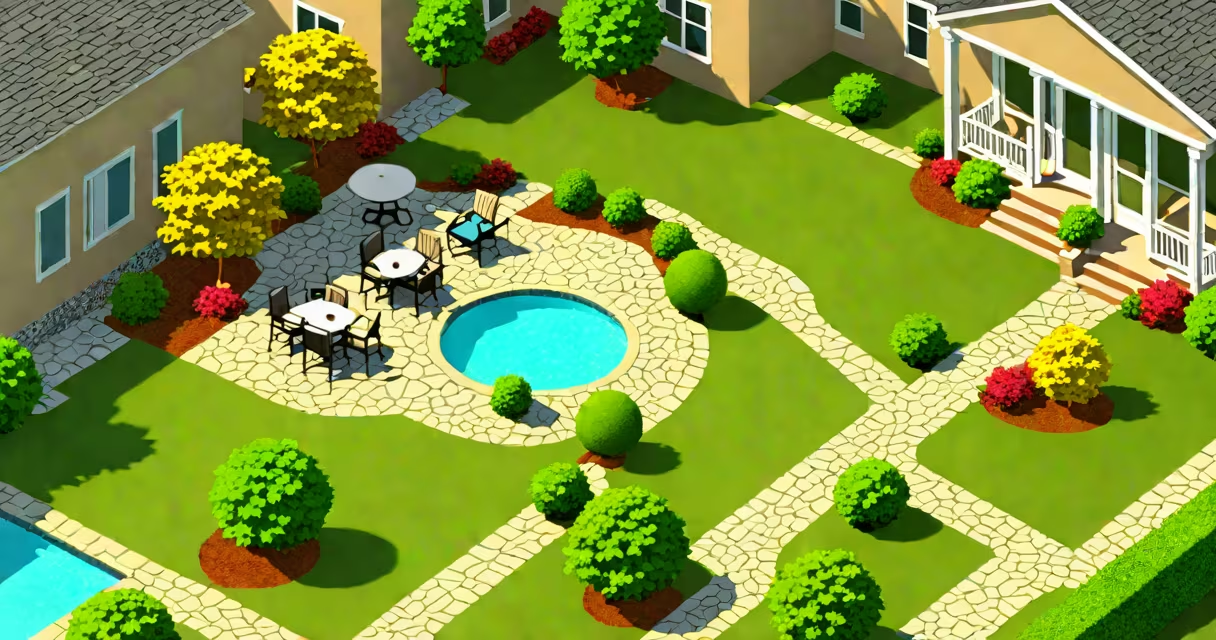
3d field design software free refers to desktop or web-based applications that allow users to model outdoor environments in three dimensions without cost. These tools support terrain shaping, plant placement, hardscape features, and lighting to produce photorealistic outdoor scenes.
Free 3d field design software operates through intuitive interfaces that simulate real-world construction and planting. Users draw property boundaries, adjust elevations, place trees and shrubs, and position patios or decks. The software renders views from multiple angles, including fly-through animations and perspective shots. This enables accurate visualization of how a yard will look after development.
Popular options include SketchUp Free, which offers a browser-based version with basic modeling tools, and Sweet Home 3D, which supports field modules via plugins. Both allow export to image formats or PDFs for sharing with clients or contractors. These programs run on Windows, macOS, and Linux systems, with no installation required for web versions.
These tools use polygonal modeling and texture mapping to represent surfaces and objects. When a user draws a path or shapes a hill, the software calculates vertex positions and applies surface materials such as grass, stone, or wood. Lighting engines simulate sun direction and time of day, casting shadows that affect perceived depth and realism.
For example, placing a 10-foot oak tree near a 6-foot retaining wall creates shadow patterns that change throughout the day. The software updates these effects dynamically as the user rotates the camera or adjusts the sun's position. This allows designers to assess usability and aesthetics under different conditions.
Most free versions limit advanced features like changing weather simulation or automated irrigation layout. However, they support manual input of plant species, soil types, and drainage zones. Users can import custom textures or use built-in libraries with thousands of plant models and material presets.
Different platforms serve distinct needs based on skill level and project scope. The table below compares key offerings:
| Software | Platform | Key Features | Limitations |
|---|---|---|---|
| SketchUp Free | Web browser | Simple interface, 3D modeling, free component library | No offline mode, limited animation tools |
| Sweet Home 3D | Windows, macOS, Linux | Room and garden planning, furniture library, export to PDF | Basic terrain editing, no native 3D plant library |
| Blender (with Field addon) | Windows, macOS, Linux | Full 3D animation, procedural terrain generation, scripting support | Steep learning curve, requires hardware acceleration |
| Land F/X (Free Trial) | Windows | Professional-grade plant database, auto-drawing tools, site analysis | Free trial only; full version requires license |
SketchUp Free is ideal for beginners who want quick results. Its interface mimics physical modeling with push-pull tools and drag-and-drop components. Sweet Home 3D excels at integrating indoor and outdoor spaces, making it useful for home renovation projects. Blender offers useful capabilities but demands significant technical knowledge.
A lesser-known fact: many free tools rely on open-source libraries like OpenSCAD or the Unity Asset Store for 3D models. This means users can access high-quality assets without paying royalties. For instance, the "Garden Plants" pack on the Unity Asset Store includes 120 species with detailed leaf and bark textures, all available under a Creative Commons license.
Field architects use free 3d field design software to draft preliminary concepts for residential gardens, parks, and urban plazas. A city planner in Portland used SketchUp Free to model a new pocket park in a dense neighborhood. They imported local tree species data from the USDA Plant Database and simulated seasonal changes to show how shade coverage varies between summer and winter.
Homeowners also benefit. One user in Austin designed a drought-resistant backyard using Sweet Home 3D and a free plugin called "Field Designer Pro." They placed native succulents and decomposed granite paths, then exported a 360-degree view to share with a contractor. The result reduced rework during installation by 40%, according to the builder's report.
These tools are not replacements for professional-grade software like AutoCAD Civil 3D or Vectorworks Landmark. But they provide sufficient accuracy for conceptual work, client presentations, and DIY projects. They are especially valuable in communities with limited access to paid design services.
Many assume free tools lack precision or fail under complex tasks. This is incorrect. SketchUp Free handles models with over 10,000 polygons and supports layered visibility. Users can toggle between wireframe and shaded modes to check alignment and proportions.
Another misconception is that free software cannot export high-resolution images. In reality, most tools allow exports at 4K resolution with anti-aliasing enabled. A test conducted by the University of California, Davis, showed that images generated from SketchUp Free met standard print quality requirements for brochures and signage.
Some users expect automatic grading or erosion simulation in free versions. These features exist only in premium packages. However, manual slope calculation using grid-based elevation inputs remains accurate enough for most small-scale projects.
I once helped a nonprofit redesign a community garden in Detroit using only free software. We started with Google Earth to capture aerial coordinates, then imported the boundary into Sweet Home 3D. After placing raised beds and installing a rainwater collection system, we rendered a daylight simulation showing sunlight exposure across the season. The final model was shared with volunteers and donors, leading to a 30% increase in funding.
This project confirmed that free 3d field design software delivers measurable outcomes when paired with clear goals and basic research.
Downloadable versions require a system with at least 4GB RAM and a GPU that supports OpenGL 2.0. Web-based tools like SketchUp Free function on any device with a modern browser and stable internet connection. Always verify the software's license before commercial use.
When selecting a tool, prioritize compatibility with your workflow. If you're working with a team, choose software that supports file exchange formats like .skp (SketchUp), .obj, or .fbx. Avoid proprietary formats unless you plan to stay within one platform long-term.
3d field design software free is not a niche option-it's a practical solution for anyone creating outdoor spaces. With proper setup and guidance, these tools deliver results indistinguishable from paid alternatives in many cases.