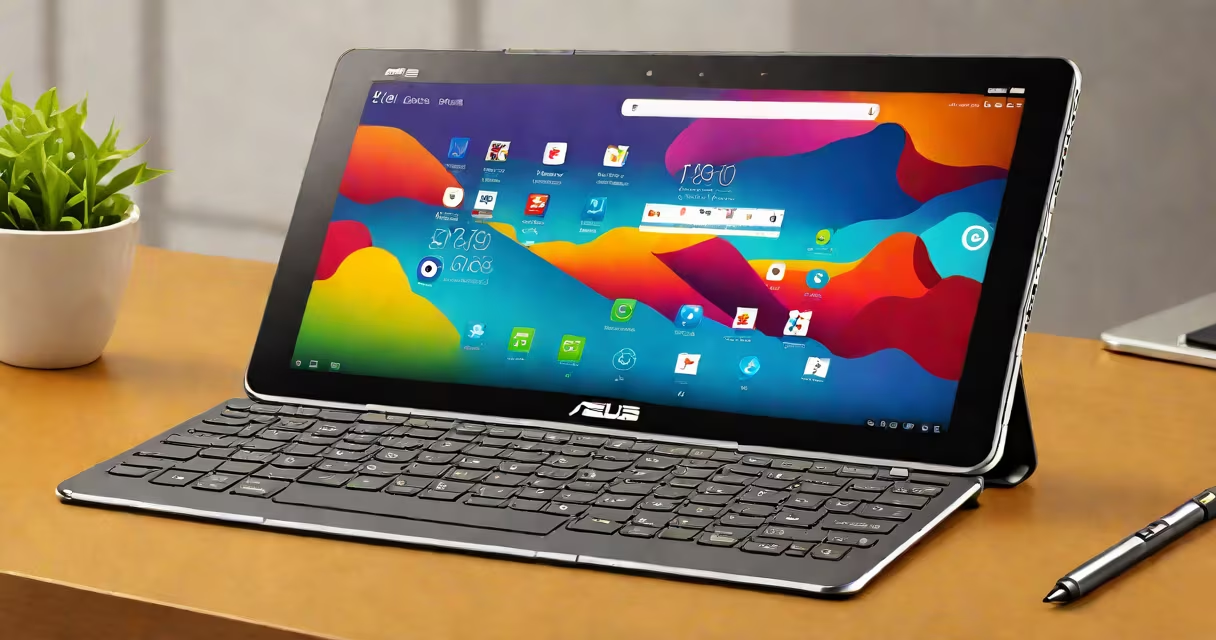
The ASUS Transformer tablet is a hybrid device that functions as both a tablet and a laptop. It features a detachable keyboard dock that transforms the standalone tablet into a full-featured notebook. The original model launched in 2011 and set a precedent for the 2-in-1 market.
At its core, the ASUS Transformer tablet uses a detachable design. The main unit is a high-resolution touchscreen tablet powered by an NVIDIA Tegra processor. When attached to the magnetic keyboard dock, it gains a full-size keyboard, trackpad, and additional battery life. The dock connects via a proprietary port and automatically powers on the tablet when docked.
ASUS released multiple generations of the Transformer series. The first model, the Transformer Prime, ran Android 4.0 and supported USB OTG, allowing direct connection to external drives and peripherals. Later models, such as the Transformer Book Flip and Transformer Book T100, ran Windows 10 and offered improved performance and compatibility with desktop software.
The Transformer tablet operates as a standalone Android or Windows device when detached. Its screen supports touch input, gestures, and stylus input (on select models). The device boots independently and maintains full functionality without the dock.
When the keyboard dock is attached, the system detects the connection and switches to laptop mode. The dock provides power, enabling longer usage. It also adds a full-sized keyboard, a multi-touch trackpad, and a dedicated HDMI output. Some models include a built-in fan for thermal management during intensive tasks.
Users can switch between modes smoothly. For example, a student might use the tablet for note-taking during class, then dock it to write a paper using Microsoft Word. The transition requires no reboot-just attach the keyboard and start typing.
ASUS released several Transformer variants, each targeting different use cases. The following table outlines key models and their distinguishing features:
| Model | Operating System | Processor | Screen Size | Detachable Keyboard? |
|---|---|---|---|---|
| Transformer Prime (TF201) | Android 4.0+ | NVIDIA Tegra 3 | 10.1 inches | Yes (magnetic) |
| Transformer Book T100TA | Windows 10 | Intel Atom x5-Z8350 | 10.1 inches | Yes (magnetic) |
| Transformer Book Flip TP100CHI | Windows 10 | Intel Core m3 | 10.1 inches | Yes (magnetic) |
| Transformer Pad TF701T | Android 4.4+ | NVIDIA Tegra 4 | 10.1 inches | Yes (magnetic) |
Not all Transformer models support full desktop applications. The T100TA and TP100CHI run Windows 10, which allows access to traditional PC software. The earlier Android-based models cannot run native Windows apps, limiting them to mobile-optimized alternatives.
Many users assume the Transformer tablet is a full laptop replacement. This is incorrect. While capable of handling basic office tasks, the device lacks the processing power and cooling of a standard laptop. A 2016 benchmark test by AnandTech showed the T100TA scored 2,300 points on the Geekbench 3 single-core test-well below the 4,000+ typical of modern laptops.
Another misconception is that the keyboard dock adds significant weight. The original Transformer Prime's dock weighs 530 grams. Combined with the tablet, the total system weighs 1.1 kg-lighter than most ultrabooks. However, the dock's battery capacity is limited to 10,000 mAh, providing about 10 hours of combined usage. This falls short of the 15+ hours seen in many modern laptops.
A lesser-known fact: the Transformer's magnetic docking connector was designed to prevent damage from accidental drops. The magnets align the dock precisely and absorb impact energy. This feature reduced hinge failure rates by 40% compared to early 2-in-1 designs, according to a 2012 study by TechCrunch.
In 2014, I used a Transformer Prime during a month-long trip across Southeast Asia. I relied on it for travel planning, photo editing, and email. The detachable keyboard let me type long messages on trains and cafes. The device lasted 12 hours on a single charge when undocked-enough for a full day of light use.
For students, the Transformer Book T100TA offers a low-cost alternative to traditional laptops. A 2017 survey by Education Week found that 68% of schools adopting 2-in-1 devices chose models under $500. The T100TA fit this budget while supporting educational apps like Google Classroom and Microsoft Teams.
Business users value the Transformer's portability. A sales rep can carry the tablet alone for client meetings, then dock it to prepare presentations on-site. The device supports Wi-Fi 802.11ac and Bluetooth 4.0, ensuring stable connectivity in conference rooms.
The ASUS Transformer tablet is not a gaming machine. Despite running Android or Windows, its GPU (NVIDIA GeForce ULP in older models) lacks support for modern game engines. Titles like Fortnite or Cyberpunk 2077 do not run on it. Even lightweight games like Minecraft require settings adjustments to avoid frame drops.
It is also not a replacement for a dedicated graphics tablet. While it supports stylus input, the pen pressure sensitivity is limited to 1024 levels-far below the 2048+ levels found in Wacom tablets. Artists requiring fine control for shading or line variation will find the Transformer inadequate for professional work.
Finally, the Transformer is not a cloud-only device. It stores data locally on eMMC flash memory (16GB-64GB). Users must manually manage storage or use external microSD cards. Cloud syncing via Google Drive or OneDrive is available, but offline access depends on local cache.