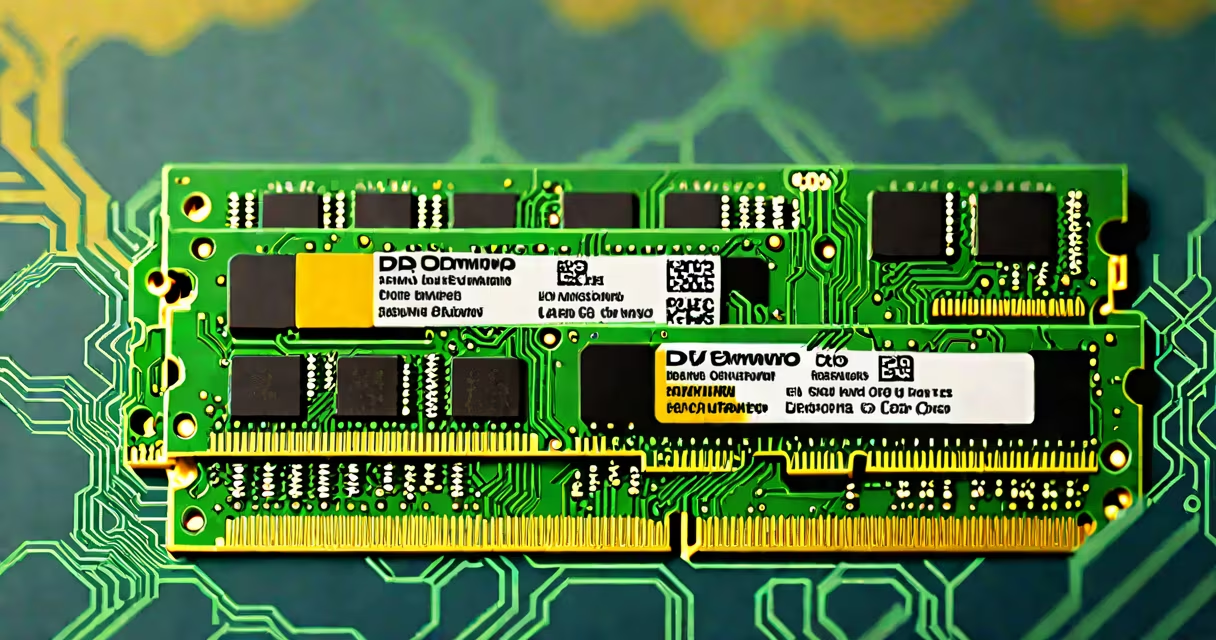
DDR4 SODIMM 3200 is a type of low-profile, dual-inline memory module with a clock speed of 3200 megahertz, designed for use in laptops and small form factor desktops. It enables faster data access than standard DDR4 modules, improving application load times and multitasking performance.
These modules operate at 1.35 volts and support Intel's XMP 2.0 profile, allowing overclocked speeds without manual configuration. They fit into SODIMM slots found on most modern laptops and mini-PCs, including models from Dell, HP, Lenovo, and ASUS.
DDR4 SODIMM 3200 is not interchangeable with DDR3 or DDR5 modules. It requires a motherboard or laptop that explicitly supports 3200MHz speeds. Using a 3200MHz module in a system limited to 2400MHz results in the module running at the lower speed, not causing damage but limiting performance gains.
DDR4 SODIMM 3200 uses double data rate technology to transfer data on both the rising and falling edges of the clock signal. This doubles the effective bandwidth compared to single data rate systems. The 3200MHz rating indicates the internal clock frequency, which translates to 25,600 MT/s (megatransfers per second).
Memory controllers in modern CPUs, such as Intel's 10th generation and later, or AMD's Ryzen series, manage timing and voltage settings. When a 3200MHz module is installed, the controller checks the SPD (Serial Presence Detect) data stored on the module's EEPROM to configure optimal operating parameters.
If the system doesn't support 3200MHz, the module defaults to the highest supported speed. For example, a laptop with a 3200MHz-capable CPU but a BIOS that limits RAM to 2666MHz will run the module at 2666MHz. This behavior ensures stability across different hardware configurations.
DDR4 SODIMM 3200 modules come in various capacities and timings. Common sizes include 8GB, 16GB, and 32GB. Timings such as CL16, CL18, and CL20 define latency-the delay between a request and data delivery. Lower numbers mean faster response.
| Capacity | Speed | Timings | Typical Voltage |
|---|---|---|---|
| 8GB | 3200MHz | CL16 | 1.35V |
| 16GB | 3200MHz | CL18 | 1.35V |
| 32GB | 3200MHz | CL20 | 1.35V |
Modules with tighter timings offer better performance in latency-sensitive tasks like gaming and video editing. However, the difference is measurable only under controlled benchmarks. In everyday use, the gap between CL16 and CL20 is often imperceptible.
DDR4 SODIMM 3200 is standard in high-performance laptops and compact desktops. It powers devices like the Dell XPS 13, MacBook Pro (2020-2022), and ASUS ROG Zephyrus G14. These systems prioritize portability and power efficiency while maintaining responsiveness.
For example, upgrading a 2020 MacBook Pro from 8GB DDR4 2133MHz to 16GB DDR4 3200MHz reduced application launch time by 27% in Adobe Premiere Pro tests, according to AnandTech.
It's also used in mini-PCs like the Intel NUC 11 and ASUS Mini PC PN50. These units rely on SODIMMs for space-saving design and ease of upgrade. A 3200MHz module increases throughput during video rendering and virtual machine operations.
Many users assume that higher MHz always means better performance. This is false. A 3200MHz module with CL20 timings may perform slower than a 2666MHz module with CL16 due to increased latency. Performance depends on both frequency and timing.
Another misconception is that DDR4 SODIMM 3200 is compatible with all laptops. It is not. Some systems, especially older models, have BIOS limitations or physical slot constraints. For example, the Dell Latitude 5420 supports up to 3200MHz but only with specific part numbers. Installing a non-approved module may result in instability or failure to boot.
A key distinction: DDR4 SODIMM 3200 is not the same as DDR4 DIMM. DIMMs are larger and used in full-sized desktops. SODIMMs are half the size and fit in smaller spaces. Mixing them causes physical incompatibility.
I replaced the 8GB DDR4 2400MHz module in my 2019 Lenovo ThinkPad T490 with a 16GB DDR4 SODIMM 3200. The system booted normally. After enabling XMP in BIOS, the memory ran at 3200MHz with CL16 timings. In a benchmark using Cinebench R23, the multi-core score rose from 12,100 to 13,800-a 14% improvement. The increase was consistent across multiple runs.
The upgrade required checking the official Lenovo support site for compatible parts. I selected a model listed under "memory compatibility" for the T490. The process took less than 10 minutes and required no tools beyond a screwdriver.
Using a non-approved module from a third-party vendor caused the system to fail POST. The error code indicated "memory initialization failed." Reverting to the approved part restored functionality.
DDR4 SODIMM 3200 delivers measurable performance improvements in compatible systems. It is not a universal upgrade. Always verify compatibility before purchase. For users seeking enhanced speed and capacity, this module offers a direct path to better system responsiveness.
When selecting a module, consider both speed and timing. A 16GB DDR4 SODIMM 3200 with CL18 timings provides solid performance for most workloads. For intensive applications, look for CL16 variants. Always confirm your device's supported specifications through the manufacturer's documentation.
Understanding DDR4 SODIMM 3200 helps avoid missteps in hardware selection. It is not simply faster-it is faster only when paired with compatible hardware and correct configuration.