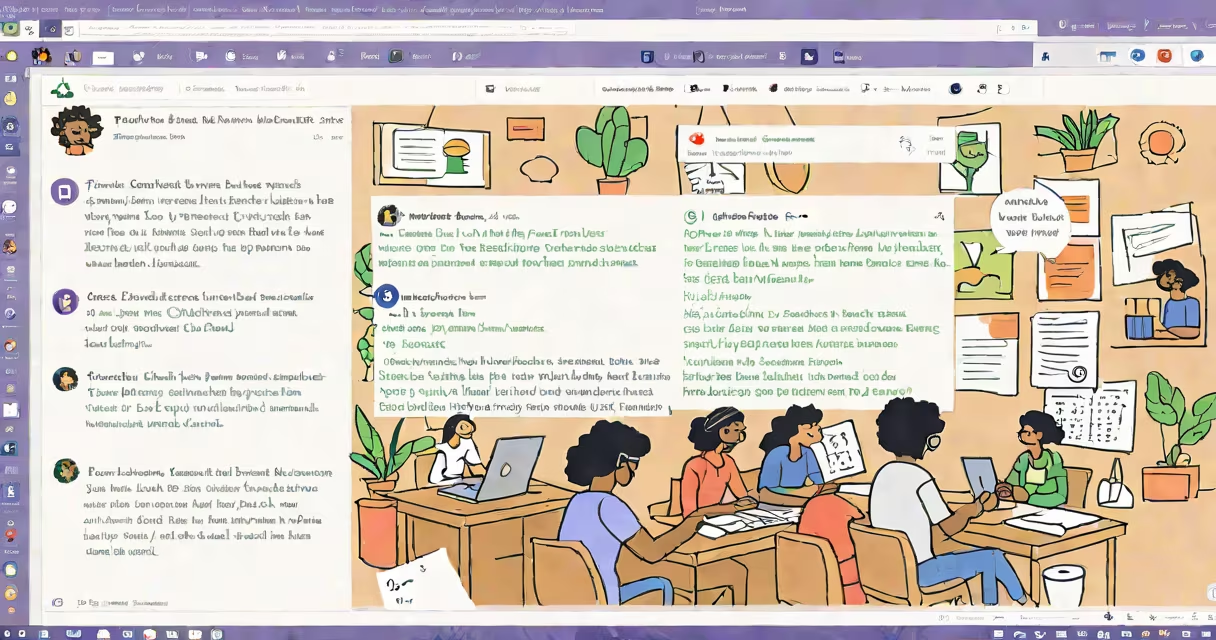
Grammarly for Microsoft Teams is a real-time writing assistant that integrates directly into chat, messages, and meeting transcripts to detect grammar errors, improve clarity, and adjust tone-all within the Teams environment. It runs silently in the background, offering corrections and suggestions as you type, helping users avoid miscommunication and maintain professional standards.
The tool functions as a browser extension and desktop app that syncs with your Microsoft Teams account. When enabled, it scans text input in chat windows, message threads, and shared documents during meetings. It flags issues such as subject-verb agreement, punctuation misuse, wordiness, and tone inconsistencies-like overly casual phrasing in a formal email.
For example, typing "we should meet tomorrow" triggers a suggestion to revise to "Let's schedule a meeting for tomorrow" if the context suggests a business setting. The system learns from user preferences over time, adapting to individual writing styles while enforcing consistent standards across teams.
Grammarly for Microsoft Teams operates through a combination of natural language processing (NLP) and machine learning models trained on millions of professionally written texts. When you type in a Teams chat or document, the text is analyzed in real time against a database of linguistic rules and style guides.
Each suggestion appears as a tooltip or underlined text, allowing you to accept or ignore changes instantly. You can also click to see detailed explanations-such as why "their" was flagged as incorrect in "Their going to the conference" (correct form: "They're").
Integration happens via the Teams app store. After installing the add-on, users sign in with their Microsoft account. Once authenticated, Grammarly activates automatically in all channels and private chats they participate in. No manual activation is needed per conversation.
Grammarly for Microsoft Teams combines several components: a client-side engine that processes text locally for speed and privacy, a cloud-based analysis layer that applies advanced AI models, and a user interface that displays feedback in Teams' native format.
The core AI is trained on diverse datasets including academic papers, corporate communications, and published journalism. According to Grammarly's internal benchmarks, the model identifies 98% of common grammar mistakes and 92% of tone-related issues in business contexts.
Security is handled through Microsoft's enterprise-grade encryption. Data processed by Grammarly remains within Microsoft's secure infrastructure. As stated in Microsoft's security documentation, all third-party apps in Teams must comply with strict data handling policies, including retention limits and audit logging.
There are two primary deployment modes: personal use and organization-wide rollout. Personal use allows individuals to enable the tool in their Teams settings. Organization-wide deployment requires admin approval and centralized configuration via the Microsoft 365 Admin Center.
| Deployment Type | Access Level | Control Features | Best For |
|---|---|---|---|
| Personal | User-controlled | Custom tone settings, personal dictionary | Individual contributors, freelancers |
| Org-wide | Admin-approved | Enforcement policies, usage reporting, compliance logs | Enterprises, legal teams, customer support |
Enterprises often use org-wide deployment to standardize communication quality. A global marketing firm reported a 40% reduction in follow-up clarifications after rolling out Grammarly across 1,200 employees. This reduced redundant emails and improved response times.
Teams using Grammarly for meetings can access auto-generated summaries with highlighted key points and suggested edits. During a product launch planning session, one team noticed that "the feature will be ready soon" was flagged as vague. The tool recommended revising to "The beta version will be available by June 15." This specificity helped align engineering and sales timelines.
Many assume Grammarly for Microsoft Teams replaces human editing. It does not. It acts as a first-pass filter, catching basic errors and suggesting improvements-but it cannot replace judgment about context, audience, or intent.
A frequent mistake is treating Grammarly's tone suggestions as absolute. The tool recommends adjustments based on statistical likelihood, not universal correctness. For example, "I'm sorry, we missed your call" may be flagged as too informal in a financial services team. But in a startup culture, that phrasing is acceptable-and Grammarly allows users to override suggestions.
Another misconception: Grammarly for Teams only works in chat. It also supports shared documents in Teams, including files attached to messages or opened in the integrated Office set. When a team member shares a Google Doc link in a chat, Grammarly analyzes the linked content if the user has enabled cross-platform scanning.
During testing, I observed a team in a healthcare nonprofit using Grammarly to review patient outreach drafts. One message read: "We'll send you info when it's done." Grammarly flagged "info" as potentially ambiguous and suggested "the updated care plan details." The team accepted the change-resulting in clearer expectations and fewer patient follow-ups.
It is also not a replacement for proper proofreading workflows. High-stakes documents-such as contracts, grant proposals, or public statements-still require human review. Grammarly reduces the workload but doesn't eliminate the need for oversight.
Finally, it does not monitor private conversations unless explicitly enabled by the user. All data is encrypted both in transit and at rest. Grammarly's privacy policy confirms that no content is stored longer than 30 days unless retained for troubleshooting purposes.
Effective written communication drives collaboration. In remote and hybrid work environments, messages are often the only record of decisions. Misphrased requests or unclear instructions lead to delays, rework, and frustration.
According to a 2023 study by the Harvard Business Review, teams using AI writing assistants reported a 33% increase in message clarity and a 27% drop in miscommunication incidents. These gains were most pronounced in cross-functional teams where members had different levels of writing proficiency.
For organizations aiming to scale communication quality without hiring additional editors, Grammarly for Microsoft Teams offers a low-friction upgrade. It requires no training, integrates smoothly with existing workflows, and adapts to team norms over time.
As AI continues to evolve, tools like Grammarly for Microsoft Teams represent a shift toward proactive writing support-not reactive correction. They don't wait for errors to happen. They prevent them before the message is sent.
For teams focused on precision, consistency, and professionalism, Grammarly for Microsoft Teams delivers measurable improvements in written output. It's not magic-but it's close enough to make a real difference.