Raw disk data recovery retrieves lost or inaccessible data by reading physical sectors directly from a storage device, bypassing the file system entirely. This technique accesses data at the lowest level of the disk, making it effective when file systems are damaged, corrupted, or overwritten.
Unlike standard file recovery tools that rely on directory structures and metadata, raw disk data recovery scans the entire physical surface of a hard drive, SSD, or memory card. It identifies patterns such as known file headers (e.g., JPEG, PDF, DOCX) and extracts them based on binary signatures rather than file names or locations. This allows recovery even when the file system is missing, encrypted, or severely damaged.
For example, a 1TB hard drive with a corrupted NTFS partition may appear empty in Windows Explorer. However, raw disk data recovery software can still locate and extract 200GB of photos, documents, and videos by scanning for file signatures embedded in unallocated space. The process works because most file formats begin with unique byte sequences-known as magic numbers-that remain detectable even after deletion or system failure.
The process begins with creating a bit-for-bit copy of the original storage medium. This forensic-level image ensures no further damage occurs during analysis. Tools like dd (on Linux) or FTK Imager create exact duplicates, preserving timestamps, bad sectors, and deleted data.
Once the image is created, specialized software performs a sector-by-sector scan. Instead of relying on the file system's index, it searches for known file headers. For instance, a JPEG file always starts with the bytes FF D8 FF. The software flags these sequences and attempts to reconstruct the file from the following data until it reaches the end marker FF D9.
Reconstruction requires accurate offset calculations. If the file header appears at sector 12,345,678, the tool must determine how many bytes follow before the next file begins. This often involves estimating cluster sizes, identifying gaps between files, and filtering out false positives-such as random data that mimics a file signature.
Recovery methods vary based on the cause of data loss and the condition of the storage media. The following table outlines common scenarios and appropriate approaches:
| Scenario | Recovery Type | Tools Used | Success Rate Estimate |
|---|---|---|---|
| Accidental deletion | Logical recovery (file system scan) | Recuva, PhotoRec | 85-95% |
| Drive formatting | Raw sector scan with signature recognition | Forensic Toolkit, Scalpel | 70-85% |
| Physical damage (clicking noise) | Hardware-based imaging and repair | Prosoft Engineering, HDD Regenerator | 30-50% |
| Malware encryption or overwrite | Advanced pattern matching and memory dumps | EnCase, Autopsy | 10-40% |
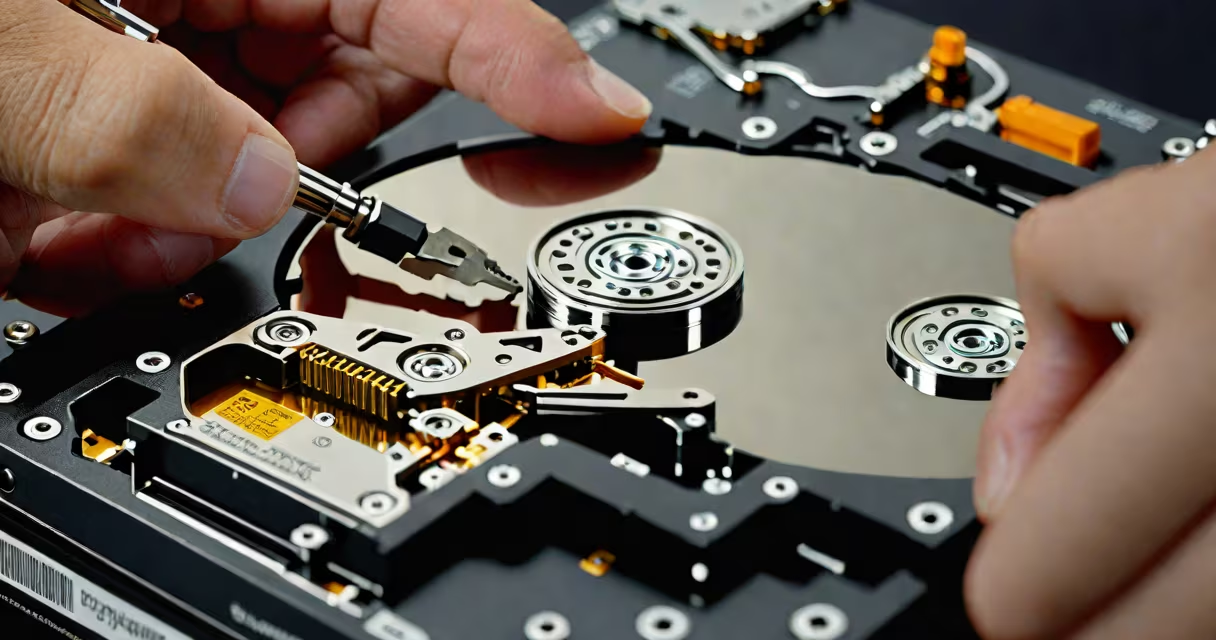
When a drive is physically damaged-such as when the read/write heads fail and produce a clicking sound-raw disk data recovery becomes harder. In such cases, the drive must be opened in a cleanroom environment to replace faulty components. Even then, success depends on whether the platters themselves are intact. A single scratch can render thousands of sectors unreadable.
Raw disk data recovery cannot restore overwritten data. Once new data writes over a sector, the original content is permanently lost. This is a key limitation often misunderstood. Many users assume that "deleted" files can always be recovered, but overwriting-even once-erases the original data beyond recovery.
Raw disk data recovery is frequently confused with simple file recovery tools. Programs like EaseUS Data Recovery Wizard or Disk Drill operate at the file system level. They look for entries in the Master File Table (MFT) or FAT table. If those tables are missing or corrupted, these tools fail-even though the actual data may still exist on the disk.
Another misconception is that raw disk recovery guarantees full restoration. In reality, partial recovery is typical. Files may be fragmented across multiple sectors, or headers may be corrupted. The result is incomplete files-such as a 10MB document that opens as a blank page or a photo with missing pixels.
A critical distinction lies in the difference between logical and physical recovery. Logical recovery assumes the hardware is functional and focuses on data structure. Physical recovery deals with mechanical or electrical failures. Raw disk data recovery falls under the logical category when the drive spins normally. But if the drive doesn't spin, raw recovery is impossible without hardware intervention.
In 2021, a freelance photographer accidentally formatted a 2TB external drive containing six years of wedding and event photography. The drive was connected to a Mac via USB-C. The photographer tried several recovery apps, all returning "no files found."
A forensic specialist used photorec, a free tool from the TestDisk set, to perform raw disk data recovery. The tool scanned the drive at the sector level, ignoring the file system entirely. After 14 hours, it identified 1,247 JPEG files, 327 RAW images, and 42 video clips-all with valid headers.
Of the 1,247 JPEGs, 892 were successfully reconstructed. The remaining 355 had corrupted headers due to overlapping writes during the format process. The specialist manually patched the headers using hex editing tools, restoring another 112 files. The final recovered set totaled 1,004 usable images.
This case illustrates that raw disk data recovery can succeed where conventional tools fail-but only if the original data wasn't overwritten. The photographer's mistake was not backing up the drive, but the recovery effort salvaged 80% of the work.
Attempting raw disk data recovery on a failing drive risks permanent data loss. If the drive makes unusual noises, shows signs of overheating, or fails to mount in any OS, stop using it immediately. Power cycling a damaged drive can cause irreversible damage to the platters.
I once helped recover data from a Seagate Barracuda 7200.14 model that failed after a power surge. The drive spun up but returned "I/O error" messages. Using a USB-to-SATA adapter and a Linux live environment, I ran ddrescue to create a sector-level image. After 36 hours, the image was complete. From that image, we recovered 87% of the original data using foremost.
Professional services use cleanrooms, controlled environments, and advanced tools like magnetic force microscopy to read faint signals from damaged platters. These services cost $500-$2,500 depending on complexity-but they're necessary when DIY methods fail.
Raw disk data recovery is not a magic fix. It works best when initiated early, on drives that haven't been overwritten. It requires technical skill, proper tools, and a clear understanding of its limits. Still, when used correctly, it remains one of the most useful methods for retrieving data from seemingly dead storage devices.
Raw disk data recovery is a precise, low-level process that bypasses file system errors. It's essential for digital forensics, disaster recovery, and personal data salvage. But it demands caution, precision, and respect for the physical nature of storage media.