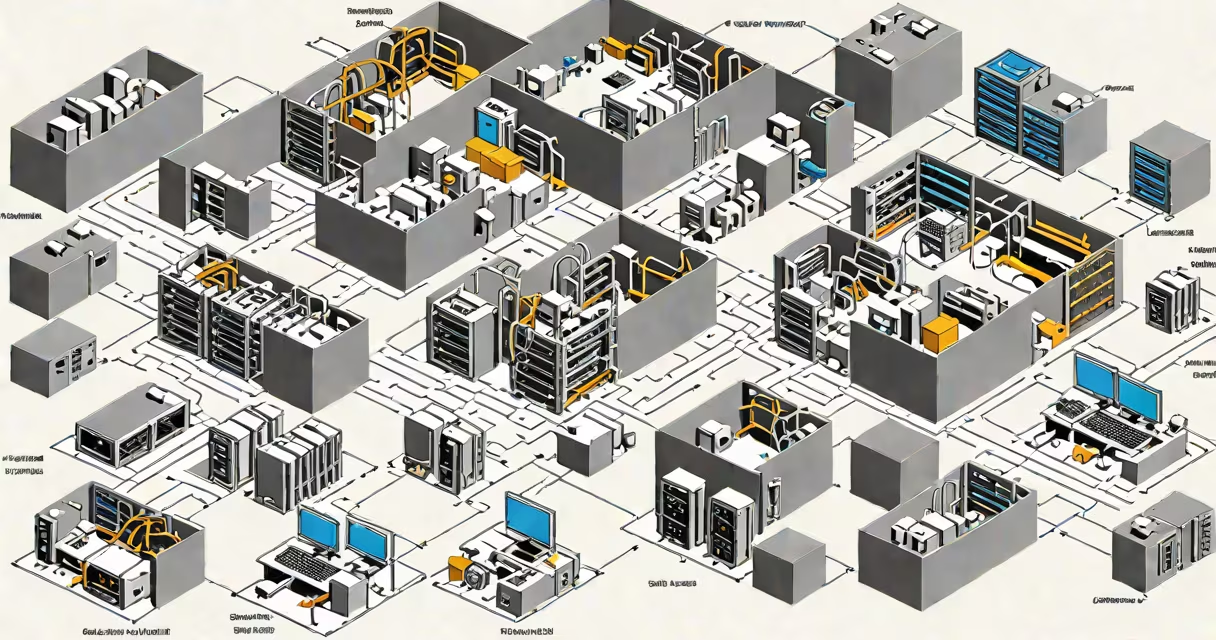
A virtual machine monitor (VMM), also known as a hypervisor, is the software layer that creates, runs, and manages virtual machines on a physical host system. It allocates CPU, memory, storage, and network resources to each virtual machine while ensuring isolation between them. The VMM sits directly on the hardware or on top of a host operating system, acting as a runtime environment for guest operating systems.
VMMs are essential in cloud computing, data centers, and development environments. They allow a single physical server to host multiple isolated workloads, improving resource utilization and reducing hardware costs. For example, a single 16-core server can run 20 separate virtual machines, each running a different operating system such as Linux, Windows Server, or macOS.
The term VMM is often used interchangeably with hypervisor, though technically, a VMM is the underlying architecture, while a hypervisor is the implementation. Modern VMMs support features like live migration, snapshots, and changing resource allocation. Without a VMM, virtualization would not be possible at scale.
A VMM operates by intercepting and managing all privileged instructions issued by guest operating systems. When a VM tries to access hardware directly-such as reading from a disk or sending data over a network-the VMM steps in to emulate or redirect the request. This helps no single VM can disrupt others or access unauthorized hardware.
For example, when a guest OS running inside a VM attempts to execute a CPU instruction that modifies memory protection settings, the VMM traps the instruction, emulates the behavior, and returns control. This process is called virtualization of CPU instructions and is fundamental to maintaining security and stability across multiple VMs.
Modern processors include hardware extensions like Intel VT-x and AMD-V that make this trapping and emulation much faster. These features allow the VMM to handle most operations directly in hardware, reducing performance overhead. Without these extensions, the VMM would have to simulate every instruction in software-a process known as binary translation-which is slower.
VMMs fall into two categories based on their architecture: Type 1 (bare-metal) and Type 2 (hosted).
| Type | Architecture | Performance | Use Case | Examples |
|---|---|---|---|---|
| Type 1 | Runs directly on hardware | High | Data centers, cloud platforms | VMware ESXi, Microsoft Hyper-V (bare-metal mode), Xen, KVM (on bare metal) |
| Type 2 | Runs on top of a host OS | Lower | Development, testing, desktop virtualization | Oracle VirtualBox, VMware Workstation, Parallels Desktop |
Type 1 VMMs are used in production environments because they offer better performance and lower latency. They boot directly from firmware and manage hardware resources without relying on a host OS. Type 2 VMMs are easier to set up and are common in personal computing, but they introduce a performance penalty due to the additional layer of the host operating system.
KVM (Kernel-based Virtual Machine) is a Type 1 hypervisor that runs as a kernel module in Linux. It leverages the Linux kernel's scheduling and memory management, making it efficient and widely adopted in cloud infrastructure. According to Red Hat, KVM powers over 70% of public cloud deployments due to its integration with Linux and low overhead.
Many people confuse a VMM with a container runtime like Docker. While both enable isolation, containers share the host OS kernel and do not emulate hardware. A VMM, by contrast, provides full virtualization-each VM runs its own complete operating system with dedicated virtualized hardware. Containers are lighter and faster but lack the isolation guarantees of a VMM.
Another misconception is that VMMs are only used in large-scale data centers. In reality, developers use VMMs daily for testing applications across different OS versions. For instance, a web developer might run a Windows 10 VM alongside a Ubuntu 22.04 VM to test browser compatibility. Tools like VirtualBox make this accessible even on consumer laptops.
A lesser-known fact is that some VMMs support nested virtualization-running a VM inside another VM. This capability is critical for testing virtualization features across layers. For example, a cloud provider might use nested virtualization to simulate multi-tier environments during service validation. Nested virtualization requires hardware support and is disabled by default in many configurations.
Consider a company deploying a web application using a LAMP stack (Linux, Apache, MySQL, PHP). Instead of buying a physical server for each component, they use a Type 1 VMM like VMware ESXi to host three VMs:
The VMM allocates 4GB RAM and 2 vCPUs to each VM. The VMM handles all I/O requests through virtualized NICs and disks. If the database server crashes, the VMM logs the event and can restart the VM automatically. The web server continues serving traffic uninterrupted.
This setup reduces hardware costs by 60% compared to physical servers. It also simplifies backups-snapshots of entire VMs can be taken in seconds. According to VMware's 2023 Cloud Infrastructure Report, organizations using VMMs report 40% faster deployment cycles and 30% lower failure rates in production environments.
During a recent project, I used Proxmox VE (a Type 1 VMM) to deploy a cluster of five VMs for a university research team. Each VM hosted a different scientific simulation. The VMM handled load balancing and resource allocation dynamically. When one simulation consumed excessive CPU, the VMM throttled it without affecting others-demonstrating real-time isolation and fairness.
What is vmm? A vmm, or virtual machine monitor, is the foundational software that enables virtualization by managing multiple guest operating systems on shared hardware. It ensures isolation, security, and efficient resource sharing across virtual machines. Whether in cloud platforms, enterprise data centers, or personal development setups, the vmm is indispensable. Its role in modern computing cannot be overstated.