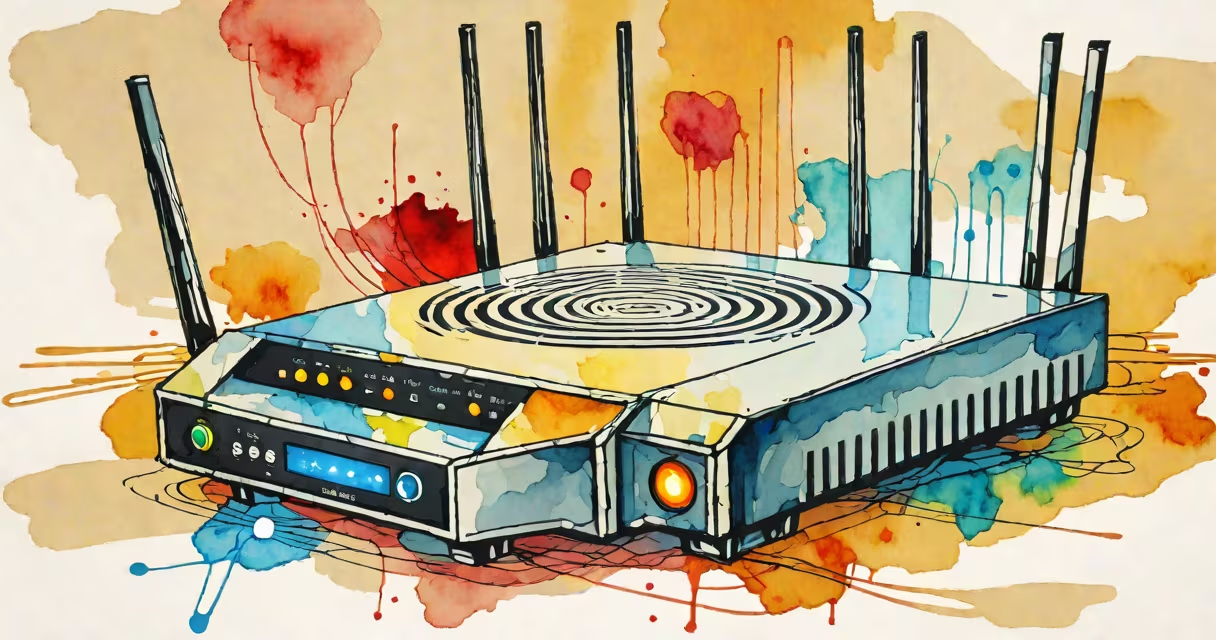
Wi-Fi is short for wireless fidelity, a marketing term coined in 1999 by the Wi-Fi Alliance to describe wireless local area network (WLAN) technology based on IEEE 802.11 standards. The name was chosen to avoid confusion with the technical jargon of IEEE 802.11 and to make the technology sound more consumer-friendly.
The term "wireless fidelity" was intended to evoke the reliability of wired connections, suggesting that wireless networks could match the quality of traditional Ethernet cables. However, the name is not an acronym-it's a branding choice. The Wi-Fi Alliance, which oversees certification and naming, confirmed that "Wi-Fi" is not an abbreviation for anything else.
Despite widespread belief, "Wi-Fi" does not stand for "Wireless Fidelity" in a formal sense. The organization itself clarified that the term was never meant to be parsed as individual letters. It's a brand name, like "Kodak" or "Xerox," designed to be memorable and easy to pronounce.
Wi-Fi operates using radio waves transmitted through the air between devices and a central access point, typically a router. These signals travel at frequencies of 2.4 GHz or 5 GHz, depending on the standard (like 802.11n, 802.11ac, or 802.11ax).
When your phone, laptop, or tablet connects to a Wi-Fi network, it sends and receives data via these radio waves. The router converts incoming internet traffic from a wired connection (usually fiber or cable) into radio signals and vice versa. This allows multiple devices to share a single internet connection without physical cables.
A typical home setup uses a modem to receive internet from an ISP, then a router to broadcast Wi-Fi signals. Devices within range detect the signal, authenticate using a password, and establish a secure connection.
Wi-Fi standards evolve with new versions of the IEEE 802.11 protocol. Each version improves speed, range, and efficiency. The most common ones in use today are:
| Standard | Frequency Band | Max Theoretical Speed | Common Use |
|---|---|---|---|
| 802.11b | 2.4 GHz | 11 Mbps | Legacy devices |
| 802.11g | 2.4 GHz | 54 Mbps | Older routers |
| 802.11n | 2.4/5 GHz | 600 Mbps | Widespread home use |
| 802.11ac | 5 GHz | 1.3 Gbps | High-speed streaming, gaming |
| 802.11ax (Wi-Fi 6) | 2.4/5/6 GHz | 9.6 Gbps | Modern homes, dense environments |
Wi-Fi 6 (802.11ax) introduced features like OFDMA and MU-MIMO, which improve performance in crowded areas. For example, a household with ten connected devices-smart speakers, phones, laptops, and security cameras-can maintain stable speeds without lag.
Some routers support dual-band or tri-band configurations, allowing devices to connect on different frequency bands based on their needs. A smart thermostat might use 2.4 GHz for long-range stability, while a 4K video stream uses 5 GHz for higher throughput.
Many people assume "Wi-Fi" refers to a specific type of internet connection or that it's synonymous with "internet." That's incorrect. Wi-Fi is a method of connecting devices wirelessly to a local network. You can have Wi-Fi without internet access-such as when sharing files between two laptops in a room.
Another myth is that Wi-Fi is inherently insecure. While early implementations had weak encryption (like WEP), modern Wi-Fi uses WPA3, the latest security protocol. WPA3 provides stronger protection against brute-force attacks and improves privacy in public networks.
A lesser-known fact: the original Wi-Fi Alliance team deliberately avoided using technical terms like "802.11" in public communications. They wanted users to focus on functionality, not specifications. As a result, "Wi-Fi" became a household word-even though it's not an acronym.
In 2022, I set up a Wi-Fi network for a small apartment with four residents. The building had poor cellular reception, so we relied entirely on Wi-Fi for internet access. We purchased a mesh system with three nodes to cover all rooms.
Each node connected to the main router via a 5 GHz band. Devices automatically switched between nodes based on signal strength. A 4K movie streamed simultaneously on two tablets and a smart TV without buffering. The average download speed measured 320 Mbps across the network.
When troubleshooting, I checked the router's admin interface and confirmed that all devices were using WPA3 encryption. No device was broadcasting its SSID, reducing exposure to unauthorized access. The entire setup took under two hours.
Bluetooth, NFC, and Zigbee are often mistaken for Wi-Fi because they enable wireless communication. But they differ in range, power consumption, and purpose. Bluetooth operates at 2.4 GHz but is limited to short distances (up to 10 meters) and low data rates. It's ideal for headphones or fitness trackers.
NFC is even more limited-used for contactless payments and pairing devices. It requires direct proximity (a few centimeters) and transfers minimal data. Neither supports high-speed internet access.
Wi-Fi is specifically designed for medium-to-long-range, high-throughput connectivity. It's the only one among them capable of handling video calls, large file downloads, or online gaming.
For users on mobile plans, Wi-Fi calling is available on many carriers. It routes voice calls over Wi-Fi instead of cellular towers. Learn how to enable Wi-Fi calling on your device. This feature is especially useful in basements or rural areas with weak signal coverage.
If you're experiencing dead zones in your home, consider a T-Mobile Wi-Fi booster to extend signal reach. These devices amplify existing Wi-Fi signals and can double coverage in hard-to-reach rooms.
Understanding that "Wi-Fi is short for" wireless fidelity clarifies the term's intent-not technical accuracy. It's a branding decision that helped popularize wireless networking. The technology behind it is complex, but the name remains simple, accessible, and widely recognized.
Now that you know what "Wi-Fi is short for" really means, you can distinguish between the brand name and the underlying protocols. troubleshooting a slow connection, clarity begins with knowing the fundamentals.