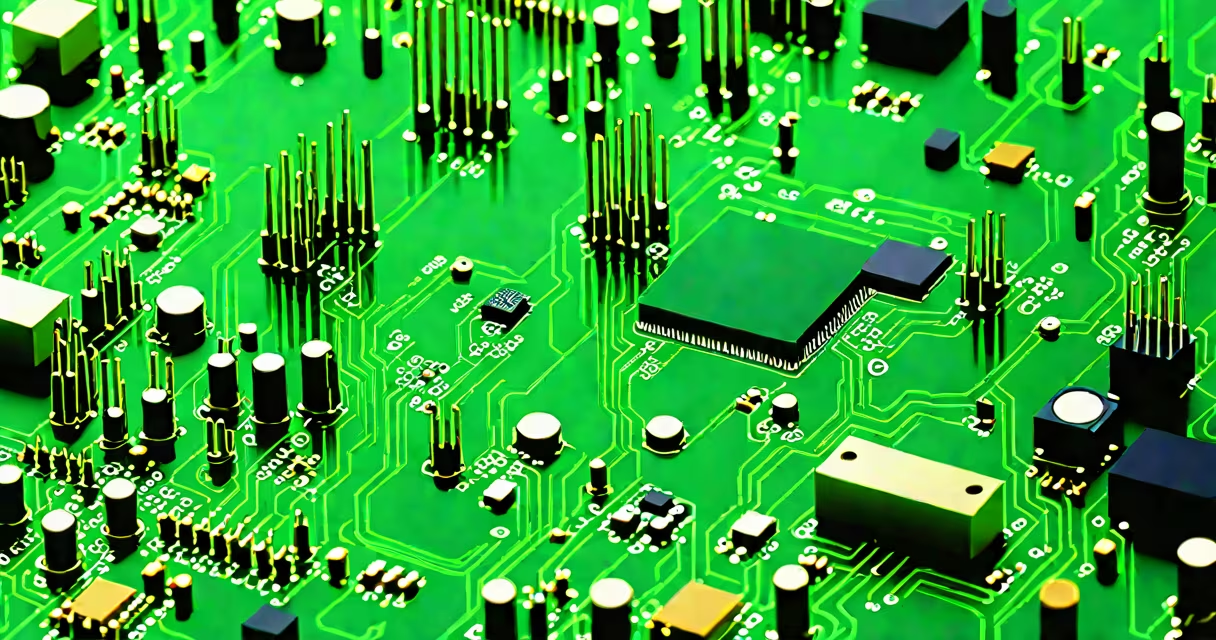
Computer board parts are the individual electrical and mechanical components mounted on a printed circuit board (PCB) that collectively enable a computer's processing, memory, and input/output functions. These parts include microchips, capacitors, resistors, connectors, and voltage regulators arranged in precise layouts to manage power and data flow.
The foundation of any computer system lies in its printed circuit board, most commonly the motherboard. This rigid substrate holds thousands of tiny components that form complex circuits. Without these parts, a computer cannot boot, process instructions, or communicate with peripherals. The term "computer board parts" covers everything from the central processor socket to the small surface-mount capacitors near the power supply pins.
Each component serves a specific role. A CPU socket holds the processor, while RAM slots accept memory modules. Voltage regulators stabilize power delivery to sensitive chips. Capacitors filter noise and smooth voltage fluctuations. Resistors control current flow. Connectors like PCIe and SATA allow expansion cards and storage drives to interface with the system. Together, these parts create a functional computing environment.
When you turn on a computer, power flows from the PSU through the motherboard's power delivery network. Voltage regulators convert high-voltage DC from the PSU into stable low-voltage rails (like 3.3V, 5V, and 1.8V) required by processors and memory. The VRMs (voltage regulator modules) manage this conversion precisely, often using multiple phases to reduce heat and improve efficiency.
Data travels along copper traces etched onto the PCB. These thin pathways carry signals between components. For example, when you press a key, the keyboard controller sends a signal through the USB port trace to the northbridge (or directly to the CPU in modern systems). The CPU processes the input and sends output commands via PCIe lanes to the GPU or storage devices.
Modern motherboards integrate many functions. The chipset manages communication between the CPU, RAM, and peripheral devices. Onboard audio and Ethernet controllers handle sound and network traffic. Thermal sensors monitor temperatures and trigger fan speed adjustments. All these tasks happen simultaneously, coordinated by firmware stored in the BIOS/UEFI chip.
Computer board parts fall into several functional categories. The following table outlines major types, their roles, and common examples:
| Type | Function | Examples |
|---|---|---|
| Microprocessors | Execute program instructions | Intel Core i9, AMD Ryzen 9 |
| Memory slots | Accept RAM modules | DDR5 DIMM sockets |
| Power delivery | Regulate voltage to CPU and RAM | VRM phases, MOSFETs, chokes |
| Connectors | Link external devices | SATA, M.2 NVMe, USB-C, PCIe x16 |
| Passive components | Stabilize signals and power | Capacitors, resistors, inductors |
Surface-mount technology (SMT) dominates modern manufacturing. Components like tiny capacitors (0603 size, about 1.6mm × 0.8mm) are soldered directly onto the board's surface. Larger components such as heatsinks and power connectors are mounted on the edge. The layout minimizes signal delay and electromagnetic interference.
A critical but often overlooked part is the CMOS battery. This small coin-cell battery maintains the system clock and BIOS settings when the computer is off. Without it, the system loses time and may fail to boot properly. Replacing it takes less than five minutes and costs under $5.
People often confuse computer board parts with entire computer systems. A motherboard is not a computer-it's a component within one. Similarly, the term "motherboard" sometimes gets used interchangeably with "mainboard," but both refer to the same physical structure. The word "board" in "computer board parts" refers specifically to the printed circuit board, not the entire chassis or case.
Another frequent mix-up is assuming all components are replaceable. While RAM and SSDs are user-replaceable, the CPU socket and VRM are not. Replacing a damaged CPU socket requires replacing the entire motherboard. Soldered components like the PCH (Platform Controller Hub) or BGA-packaged processors cannot be swapped without specialized equipment.
Some users believe that more capacitors mean better performance. That's false. Capacitor count relates to power stability, not speed. A motherboard with 12 capacitors in the VRM phase may run cooler than one with 6, but it won't compute faster. Performance depends on the CPU, RAM bandwidth, and cooling efficiency-not capacitor quantity.
I assembled a custom gaming rig last year using a Gigabyte Z790 AORUS Elite AX motherboard. The build required checking compatibility between the CPU (Intel Core i9-13900K), RAM (Corsair Vengeance 64GB DDR5), and GPU (NVIDIA RTX 4090).
First, I verified the CPU socket (LGA 1700) matched the motherboard. Next, I installed the RAM into the correct DIMM slots-slots 2 and 4 for dual-channel mode. I then connected the 24-pin ATX power cable, the 8-pin CPU power connector, and the PCIe power cables to the GPU.
During testing, the system failed to POST. I checked the motherboard manual and discovered the VRM thermal sensor was disconnected. After reconnecting the sensor cable, the system booted normally. This incident highlighted how a single missing connection among hundreds of computer board parts can prevent startup.
After setup, I monitored temperatures using HWiNFO. Idle temps were 38°C at 25°C room temperature. Under load, the CPU reached 85°C-well within safe limits. The motherboard's 12-phase VRM design handled the load efficiently, proving that proper component selection prevents instability.
Understanding computer board parts helps identify issues during troubleshooting. For example, a bulging capacitor indicates power delivery failure. A burnt resistor near the CPU socket suggests a short circuit. These signs point to component-level problems rather than software errors.
Computer board parts are not interchangeable across systems. A motherboard designed for Intel CPUs won't support AMD Ryzen processors due to different socket designs. Always verify compatibility before purchasing any component.
Modern motherboards contain over 1,000 discrete components. The average desktop motherboard uses around 500 passive components (capacitors, resistors, inductors) and 150 active ones (microchips, transistors). These numbers reflect the complexity behind everyday computing.
Every computer relies on the precise arrangement of computer board parts. From the smallest capacitor to the largest CPU socket, each element plays a role in delivering reliable performance. Misunderstanding them leads to costly mistakes. Knowing their purpose ensures accurate diagnosis, repair, and upgrades.