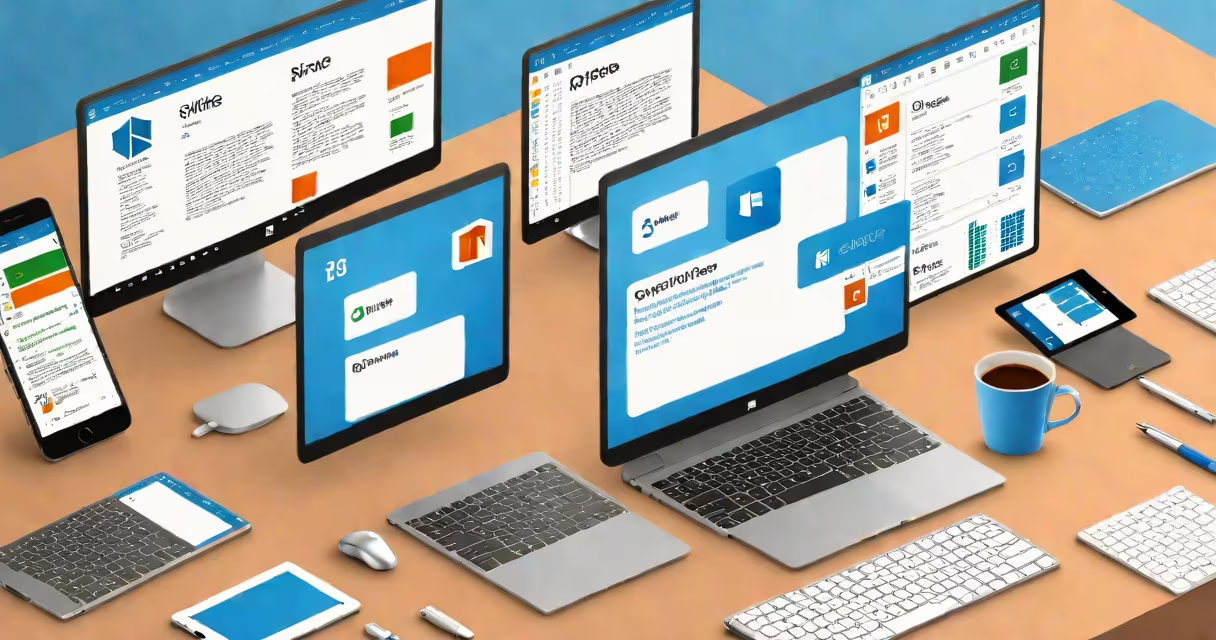
The Microsoft Office System is a collection of integrated desktop and cloud-based applications-Word, Excel, PowerPoint, Outlook, and others-designed for creating documents, analyzing data, delivering presentations, managing emails, and collaborating across teams. It serves as the standard productivity platform for businesses, schools, and individuals worldwide.
Office System functions as both a local software set installed on Windows or macOS devices and a cloud service accessible via web browsers or mobile apps. Core components include Word for word processing, Excel for spreadsheets and financial modeling, PowerPoint for slide decks, and Outlook for email and calendar management. These tools share common design language, file formats (.docx,.xlsx,.pptx), and authentication methods through Microsoft accounts.
Microsoft introduced the Office System in 1990 as a bundled set of tools replacing standalone programs. Since then, it has evolved into a unified environment where files can be edited across devices, synced in real time, and shared securely. The system supports automation via macros, scripting, and integration with external databases and APIs. It runs on Windows, macOS, iOS, Android, and web platforms.
Each application in the Microsoft Office System operates independently but shares underlying infrastructure. Documents created in Word can be embedded into Excel worksheets or referenced in PowerPoint slides. Changes made in one app update automatically in linked files when using cloud sync. This interoperability relies on standardized file formats and a centralized authentication layer managed through Microsoft Entra ID (formerly Azure AD).
When users sign in with a Microsoft account, their settings, templates, and recent files sync across devices. For example, editing a spreadsheet on a tablet updates instantly on a desktop computer. Real-time co-authoring allows multiple people to edit the same document simultaneously, with changes visible within seconds. This feature is enabled through Microsoft 365's cloud backend, which stores files in Microsoft OneDrive or SharePoint.
Behind the scenes, the Office System uses a modular architecture. Components like the ribbon interface, spell checker, and PDF export engine are shared across applications. Developers can extend functionality using Visual Basic for Applications (VBA), PowerShell scripts, or REST APIs. For instance, a finance team might automate monthly reports by combining Excel formulas with VBA macros that pull data from SQL servers.
The Microsoft Office System includes several core applications and supporting services. The primary tools are:
| Application | Purpose | Common Use Case |
|---|---|---|
| Word | Document creation and formatting | Writing reports, resumes, letters |
| Excel | Data analysis, calculations, charts | Tracking budgets, forecasting sales, managing inventories |
| PowerPoint | Slide presentation design | Creating business pitches, training modules, academic lectures |
| Outlook | Email, calendar, task management | Managing schedules, sending bulk emails, organizing meetings |
| OneNote | Freeform note-taking and organization | Brainstorming sessions, class notes, project planning |
Additional tools include Teams for chat and video conferencing, Forms for surveys, and Publisher for layout design. These are often included in Microsoft 365 subscriptions but can also be purchased separately.
There are two main deployment models: perpetual licenses (one-time purchase) and subscription-based access (Microsoft 365). Perpetual versions like Office 2021 allow offline use without renewal but lack cloud features. Subscriptions provide continuous updates, 1 TB of OneDrive storage, and access to AI-powered tools such as Editor in Word and Ideas in Excel.
Organizations use the Microsoft Office System for daily operations. A marketing department may draft campaign materials in Word, analyze customer demographics in Excel, and present findings in PowerPoint-all while sharing files via Outlook and discussing them in Teams. This workflow reduces context switching and ensures consistent branding.
Education institutions rely on Office for assignments, grading, and communication. Teachers create lesson plans in Word, track student performance in Excel, and send announcements through Outlook. Students submit papers in .docx format and receive feedback using track changes and comments.
A small business owner might use Excel to manage payroll, generate invoices in Word, and schedule appointments in Outlook. They can access these tools remotely through a web browser, enabling work from home or client sites. According to Microsoft's 2023 commercial report, over 90% of Fortune 500 companies use Microsoft 365, highlighting its dominance in enterprise environments.
Many assume "Microsoft Office" and "Microsoft Office System" are interchangeable. While they refer to the same product family, "Office System" emphasizes integration and enterprise capabilities-such as single sign-on, compliance controls, and centralized admin dashboards-beyond basic app usage.
Another misconception is that Office only works on Windows. The system supports macOS, iOS, Android, and web browsers. For example, Excel Online allows users to edit spreadsheets directly in Chrome or Safari without installing software. This cross-platform support enables remote collaboration regardless of device choice.
Some users believe Office is outdated due to the rise of free alternatives like Google Workspace. However, Office offers advanced features unavailable in free tiers: advanced security policies, audit logs, data loss prevention (DLP), and compliance with regulations like HIPAA and GDPR. A healthcare provider using Office can enforce encryption on patient records and log all access attempts.
One non-obvious distinction: the term "Office System" historically referred to the entire system-including server-side components like Exchange Server and SharePoint-before shifting focus to client applications. Today, the name still implies a cohesive environment, even though most users interact with individual apps.
A university research team studying climate patterns used the Microsoft Office System to compile a grant proposal. They drafted the narrative in Word, incorporating charts generated in Excel from temperature data collected over 20 years. The team inserted interactive graphs into PowerPoint slides, added speaker notes, and rehearsed the presentation using built-in rehearsal tools.
They shared the draft with collaborators via OneDrive, who reviewed it in real time. Comments were added directly in Word, and tracked changes highlighted edits. After revisions, the team exported the final version as a PDF and submitted it through a secure portal. All files remained encrypted and accessible only to authorized members, meeting institutional data policies.
This workflow demonstrates how the Office System combines authoring, analysis, presentation, and secure collaboration in a single trusted environment.
I once built a budget tracker for a nonprofit using Excel and VBA. The tool pulled data from a CSV file, calculated monthly variances, and generated color-coded alerts. When shared with staff, it reduced reporting time from four hours to under 15 minutes. That efficiency gain came from integrating data flow, automation, and visualization-all core strengths of the Microsoft Office System.