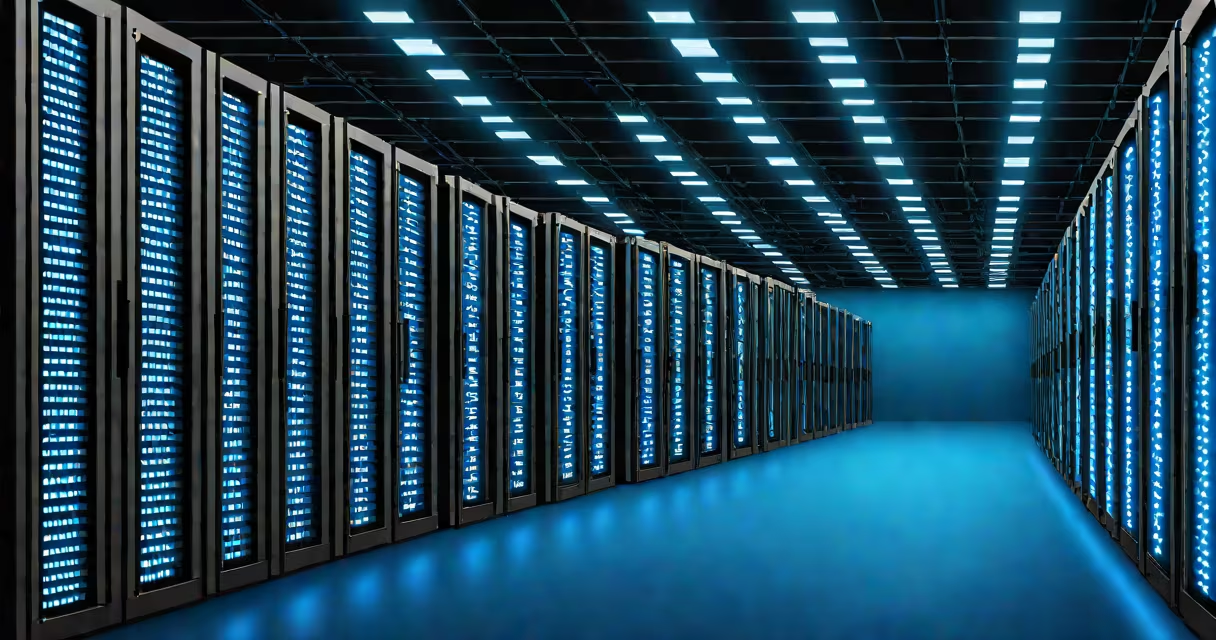
Colocation is a service where organizations rent space, power, cooling, and network access in a secure, professionally managed data center to house their own servers and networking hardware. Instead of maintaining an on-site server room, companies place their IT equipment in a third-party facility designed for uptime, scalability, and redundancy.
Unlike cloud computing, where resources are virtualized and accessed remotely, colocation involves physical hardware owned by the customer and physically located in a provider's facility. The customer retains full control over their systems while benefiting from enterprise-grade infrastructure.
The term originated in the late 1990s as internet traffic grew and businesses needed reliable, scalable infrastructure beyond what on-premise data centers could offer. Today, colocation is a foundational element of global digital infrastructure, supporting everything from e-commerce platforms to financial trading systems.
When a business signs up for colocation, they purchase or lease a specific amount of rack space within a data center. This space typically includes a 1U to 42U rack unit, depending on equipment size. The customer brings their own servers, storage arrays, firewalls, and switches, which are installed and secured in the rented space.
The data center provider supplies critical services: redundant power with uninterruptible power supplies (UPS) and backup generators, climate-controlled environments with precision cooling, 24/7 physical security including biometric access and surveillance, and multiple high-bandwidth network connections to internet service providers (ISPs) and other networks.
For example, a fintech startup might colocate its trading servers in a Tier III-certified data center in Chicago. The firm owns the hardware, configures it remotely via secure management interfaces, and monitors performance through internal tools. The data center ensures the servers run at optimal temperature, remain online during power fluctuations, and connect to low-latency exchanges via direct fiber links.
Colocation varies based on the level of service and infrastructure support. Providers categorize offerings by tier, though standards differ slightly between organizations. The Uptime Institute's Tier Classification System remains the most widely referenced benchmark.
| Tier | Redundancy | Availability | Typical Use Case |
|---|---|---|---|
| I | No redundancy | 99.5% annually | Small offices, non-critical apps |
| II | Single path, non-redundant components | 99.7% annually | Departmental servers, testing environments |
| III | Multiple independent paths, concurrent maintainability | 99.982% annually | Production workloads, compliance-heavy industries |
| IV | Redundant capacity components, fault-tolerant design | 99.995% annually | High-frequency trading, mission-critical systems |
Some providers offer managed colocation, where they take responsibility for monitoring, patching, and managing the customer's hardware. This differs from traditional colocation, where the customer manages their own systems. Managed services often include remote hands support-on-site technicians who perform basic tasks like rebooting or replacing failed drives upon request.
A key distinction is that colocation does not include software or virtualization. The customer runs their own operating systems, applications, and databases. There is no shared compute or storage pool. This contrasts sharply with Infrastructure-as-a-Service (IaaS) models like AWS EC2 or Azure Virtual Machines, where customers rent virtual machines rather than physical hardware.
Businesses choose colocation for several reasons: cost efficiency, performance, compliance, and resilience. A single company cannot afford to build and maintain a facility meeting Tier III or IV standards. The capital expenditure for such infrastructure exceeds $1 million per site, including land, construction, HVAC systems, and redundant power feeds.
Consider a healthcare provider required to meet HIPAA regulations. They must ensure patient data is stored securely and accessible only to authorized personnel. By colocating in a HIPAA-compliant data center with audit trails, encrypted storage, and physical access logs, the organization meets regulatory requirements without building its own secure facility.
Another advantage is proximity to network peering points. Major internet exchange points (IXPs) like DE-CIX in Frankfurt or AMS-IX in Amsterdam are located in strategic data centers. Businesses colocated near these hubs reduce latency and improve bandwidth efficiency-critical for video streaming services handling millions of concurrent users.
During a 2021 outage at a major cloud provider, many startups relying solely on public cloud infrastructure experienced downtime. Companies using hybrid models-running core workloads in colocation facilities with failover to cloud-maintained operations. This demonstrated that colocation provides a resilient alternative to single-cloud dependency.
Many people confuse colocation with cloud hosting or managed hosting. Cloud hosting uses virtualized resources hosted by a provider. Customers don't own the underlying hardware. In contrast, colocation customers own their equipment and manage it directly. The provider only supplies the environment.
Another misconception is that colocation eliminates the need for IT staff. While the provider handles facility-level operations-power, cooling, security-the customer still requires system administrators, network engineers, and security teams to manage their deployed hardware. A 2022 report from Gartner noted that 68% of enterprises using colocation still maintain on-site IT roles for system oversight.
There's also confusion about ownership. Some assume the data center owns the servers placed inside. That's false. Equipment remains the property of the customer unless explicitly sold. Data centers do not have access to customer data unless granted via a formal agreement, and even then, access is logged and audited.
One non-obvious fact: colocation facilities often charge based on power draw, not just rack space. A 1U server drawing 300 watts consumes more power than a 4U server drawing 150 watts. This leads to higher monthly bills for high-density deployments. Providers publish power density limits (measured in watts per square foot) to prevent overloading electrical circuits.
In 2020, a regional investment bank migrated its algorithmic trading platform from a local server room to a Tier III colocation facility in New York. The bank had previously experienced outages due to overheating and power surges during winter storms.
After moving, the firm reduced average latency to market data feeds from 12 milliseconds to 3.4 milliseconds. They achieved this by connecting directly to a stock exchange's private network via a dedicated fiber link. The data center provided 99.982% uptime, backed by redundant power and cooling systems.
Monthly costs increased by 22%, but operational stability improved. The bank reported a 40% reduction in unplanned downtime and saved $180,000 annually in avoided recovery efforts and lost trades.
Colocation isn't just for large enterprises. Small tech firms, research labs, and even media production studios use it to scale infrastructure without long-term commitments. The flexibility of pay-per-rack-space-and-power models allows startups to grow incrementally.
Understanding what is colocation clarifies its role in modern IT architecture. It's not a replacement for cloud services, nor is it a step backward. It's a strategic choice for performance, control, and resilience-especially when uptime and speed are non-negotiable.
Colocation enables businesses to focus on innovation, not infrastructure. By placing their hardware in a purpose-built facility, organizations gain access to capabilities far beyond what most on-premise setups can deliver.