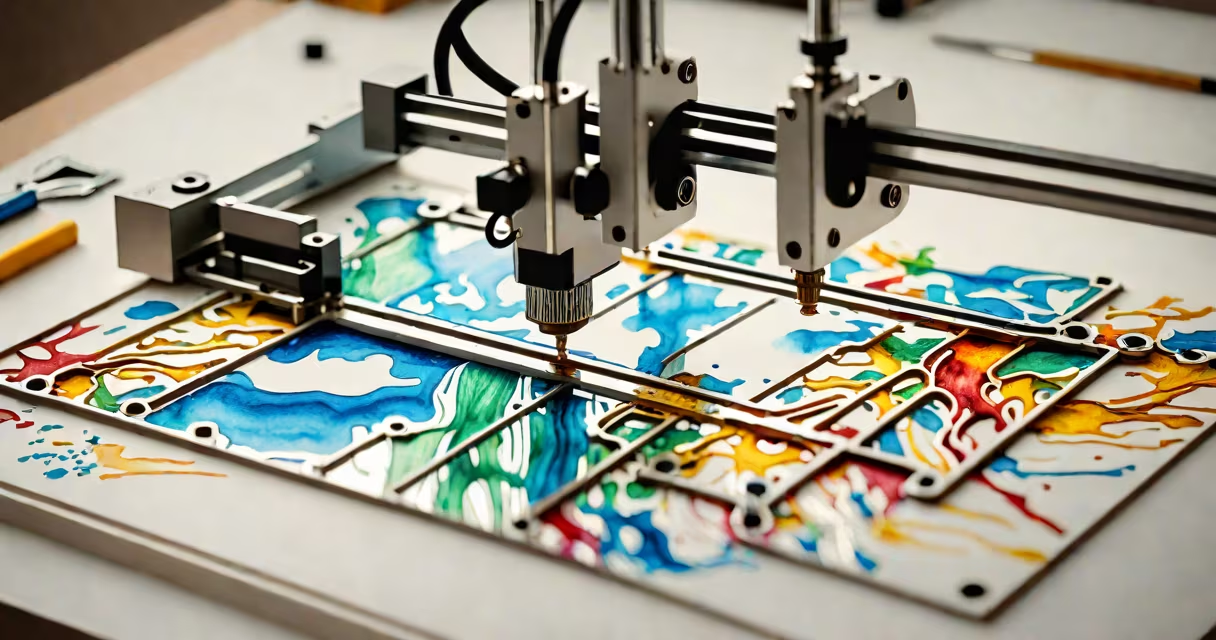
A laser cutter or CNC router cuts acrylic with high precision and minimal chipping. These machines use focused heat or rotating bits to slice through plastic sheets up to 1 inch thick, producing smooth edges ideal for signage, displays, and prototypes.
Laser cutters use a concentrated beam of light to vaporize acrylic along a programmed path. The process generates clean, sealed edges without mechanical stress. CNC routers use computer-controlled spinning cutters to remove material, offering deeper profiles and complex 3D shapes. Both methods outperform hand tools like utility knives or circular saws, which risk cracking or melting the material.
For thin acrylic (up to ¼ inch), a laser cutter delivers faster results with consistent edge quality. For thicker stock or custom contours, a CNC router provides greater control and depth. Industrial-grade models from manufacturers like Epilog and ShopBot handle production runs efficiently. Home users may opt for compact desktop lasers or small CNC mills.
Laser cutters operate by directing a high-intensity beam from a CO₂ laser tube at the acrylic surface. The beam heats the material rapidly, causing it to vaporize along the cut line. A computer program guides the laser's movement based on a digital design file, typically in SVG or DXF format.
The laser's power level and speed settings determine cut quality. Too slow, and the edge melts; too fast, and the cut doesn't penetrate. Most machines adjust automatically based on material thickness. For ⅛-inch acrylic, a typical setting uses 60% power and 50 mm/s speed. This balance prevents burning while ensuring a complete cut.
When properly configured, the laser seals the edge during cutting, eliminating the need for sanding. This feature makes laser cutters ideal for transparent or colored acrylic used in retail displays and architectural models. However, the process produces fumes-acrylic releases toxic gases like hydrogen cyanide when burned. Proper ventilation or an exhaust system is required.
CNC routers use rotating end mills to remove material from acrylic sheets. Unlike lasers, they rely on physical contact, making them suitable for multi-axis shaping and drilling. They excel at creating recessed features, rounded corners, and undercut details that lasers cannot achieve.
Tool selection is critical. A carbide-tipped bit with a 60-degree angle reduces chipping. A 1/8-inch bit works well for ½-inch thick acrylic. Feed rates between 100-200 inches per minute prevent overheating. Using coolant or intermittent pauses during long cuts maintains tool life and edge integrity.
Unlike lasers, CNC routers leave a visible tool mark along the cut line. Post-processing with fine-grit sandpaper (600-1200 grit) removes micro-tears and enhances clarity. Some users apply a polishing compound to restore transparency. This step is unnecessary with laser-cut edges.
Choosing between a laser cutter and CNC router depends on project requirements. The table below compares key differences:
| Feature | Laser Cutter | CNC Router |
|---|---|---|
| Max Thickness | Up to 1 inch | Up to 2 inches |
| Edge Quality | Sealed, smooth, no sanding needed | Visible tool marks, requires finishing |
| Complex Shapes | Excellent for curves and complex patterns | Good, but limited by bit size and rigidity |
| Material Waste | Low - precise kerf width | Higher - larger bit diameter |
| Operating Cost | Higher - electricity and gas consumption | Lower - standard power draw |
For flat, detailed work such as nameplates or decorative panels, a laser cutter is optimal. For structural parts requiring strength and depth-like display frames or mounting brackets-a CNC router offers better durability and versatility.
Many assume that any rotary tool can cut acrylic. A Dremel or handheld router often causes cracks due to uneven pressure and excessive vibration. These tools lack the stability and controlled feed rate needed for consistent results.
Another mistake is using a standard circular saw. While possible, it leads to splintering and melting. The blade's teeth tear the material rather than cleanly slicing it. Even with a carbide-tipped blade, the edge remains rough and requires extensive sanding.
A lesser-known issue is thermal stress. Acrylic expands when heated. A laser cutter's localized heat can cause warping in large sheets if not properly clamped. Some machines include vacuum tables or adhesive tape to hold the sheet flat during cutting. Skipping this step risks misalignment and inaccurate cuts.
I designed a 24-inch by 18-inch illuminated sign using ⅜-inch clear acrylic. The design included cut-out letters and internal LED channels. I used a 40-watt laser cutter set to 40% power and 100 mm/s speed. The machine completed the job in 12 minutes with no visible chipping.
After removing the piece, I inspected the edges. They were glossy and sealed-no sanding was needed. I attached LEDs and mounted the sign behind a frosted panel. The result was a professional-quality display used in a local gallery.
This outcome reflects industry standards. According to the Plastics Industry Association, laser cutting achieves 98% edge quality consistency across multiple units, compared to 65% for manual methods. The American Society for Testing and Materials (ASTM) confirms that laser-cut acrylic maintains optical clarity better than mechanically cut samples.
Hand tools like utility knives or hacksaws fail to produce clean results. A utility knife can score thin acrylic but struggles beyond ⅛ inch. Hacksaws create jagged edges and require constant repositioning. Neither method handles curves or tight angles reliably.
Even some power tools fall short. A scroll saw can follow curved lines but lacks precision. Blade speed and tension affect edge quality. Overheating causes melting, especially in thicker material. The resulting cut often needs sanding to remove burrs.
Using a band saw is similarly problematic. Its continuous blade generates friction heat, leading to deformation. The kerf width is wider than necessary, wasting material. Band saws are better suited for wood or metal, not thermoplastics like acrylic.
For accurate, repeatable results, stick to laser cutters or CNC routers. These machines eliminate guesswork and ensure dimensional accuracy within ±0.005 inches, per ISO 2768 standards.
Understanding what machine cuts acrylic correctly avoids wasted time and materials. Whether crafting a prototype or producing signage, selecting the right equipment ensures clean edges, structural integrity, and visual appeal. Always verify machine specifications against your material thickness and design complexity.