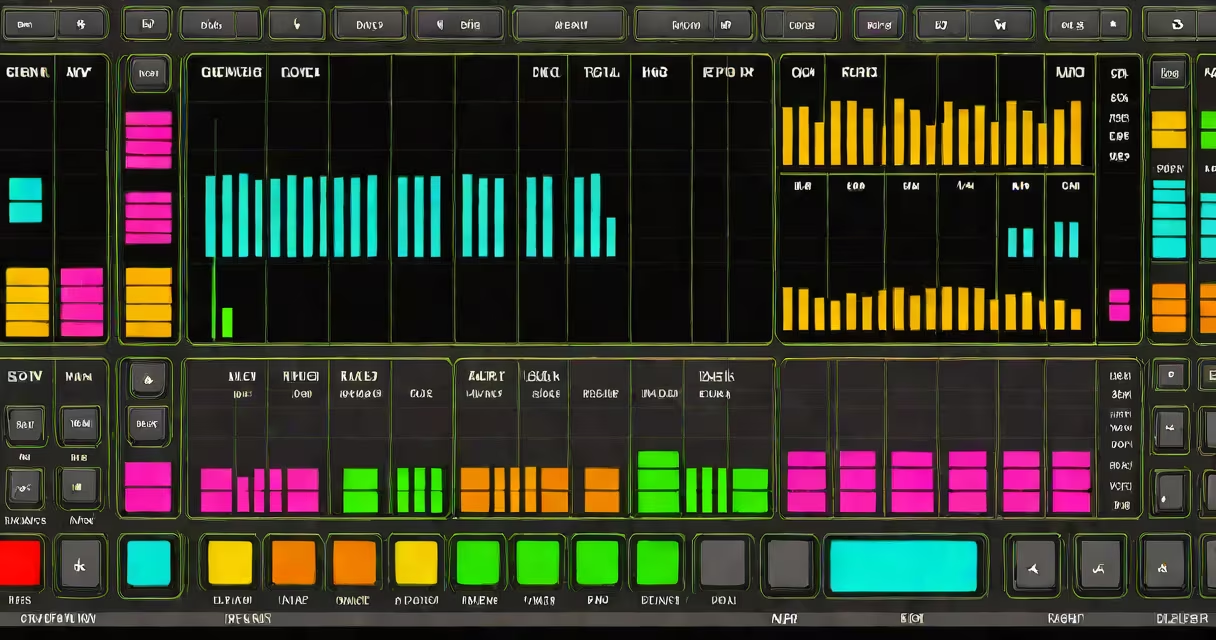
A beat maker soundboard is a digital interface that allows music producers to instantly trigger and layer pre-recorded audio clips-such as drum hits, basslines, vocal snippets, and synth stabs-by tapping or clicking on visual tiles. It functions as a real-time performance tool for crafting beats on the fly, especially during live sessions or improvisational production.
Unlike traditional digital audio workstations (DAWs) that require time to set up tracks, load samples, and adjust timing, a beat maker soundboard offers immediate access. Each tile represents a specific audio segment, often mapped to a MIDI note or keyboard key. When triggered, the clip plays back at the project's current tempo, enabling instant rhythmic composition.
These tools are widely used in hip-hop, trap, lo-fi, and electronic music production. They're particularly effective for sketching out ideas quickly, testing musical ideas in real time, or performing live sets. The most advanced versions support pitch shifting, looping, and effects routing through external hardware or software integration.
Beat maker soundboards operate on a grid-based interface. Users assign audio files-typically short loops or one-shot sounds-to individual cells. When a cell is activated (via mouse click, touch, or MIDI controller), the corresponding audio plays. Most systems sync playback to the project's tempo, ensuring clips align precisely with the beat grid.
Behind the scenes, the software uses a low-latency audio engine to minimize delay between activation and output. This responsiveness is critical for live performance or rapid idea generation. Some platforms allow users to record their own inputs-like snapping fingers or clapping-to create custom samples that are then mapped to the board.
For example, a producer using Ableton Live's Session View can turn any clip into a soundboard by dragging a drum loop onto a scene. When they press the corresponding button, the loop triggers instantly, even if it's 3 seconds long. The system maintains timing accuracy through internal clock synchronization, eliminating drift.
Beat maker soundboards come in several forms, ranging from standalone apps to integrated features within larger DAWs. Here's a breakdown of common types:
| Type | Best For | Examples |
|---|---|---|
| Standalone Apps | Quick idea capture, mobile use | BeatMaker 3, Groove Pizza, LoopDrop |
| DAW Integration | Full production workflow | Ableton Live, FL Studio, Logic Pro X |
| Web-Based Tools | Browser access, collaboration | Soundtrap, BandLab, Splice Soundboard |
| MIDI Controller Pads | Live performance, stage use | Novation Launchpad, Akai APC40, Native Instruments Maschine |
Each type serves different workflows. Standalone apps like BeatMaker 3 run on iOS and Android, letting producers build beats while commuting. Web-based tools such as BandLab allow multiple users to collaborate in real time, with shared soundboards accessible from any device.
One lesser-known fact: many professional producers use soundboards not just for creating beats, but for structuring entire songs. A single session in Ableton Live can contain 16 different soundboard grids-one for drums, one for vocals, another for ambient textures-each triggering unique arrangements based on user input.
Many assume a beat maker soundboard is limited to drum patterns. In reality, it can handle any audio segment under 10 seconds. Producers use them for melodic phrases, reversed cymbals, spoken-word samples, and even field recordings.
Another misconception is that soundboards are only for beginners. On the contrary, Grammy-winning producers like Metro Boomin and Timbaland have used similar setups in live sessions. According to Sound on Sound, "The ability to trigger complex sequences with a single tap is central to modern beat-making efficiency."
Some confuse soundboards with MIDI controllers. While both involve physical buttons or pads, a soundboard specifically references audio playback, whereas MIDI controllers send control signals (like volume or pan) to software instruments. A pad that sends a MIDI note to play a piano sample is not a soundboard-it's a MIDI controller.
In 2022, a producer named Jaylen used a custom-built beat maker soundboard in a YouTube livestream to create a full track in under 12 minutes. He loaded 24 audio clips into a 6x4 grid: eight drum loops, six basslines, four vocal chops, and six synth stabs. Using a Novation Launchpad, he triggered clips in sequence, layered them live, and applied reverb via a plugin chain.
He started with a kick and snare pattern at 92 BPM. After 30 seconds, he added a reversed hi-hat and a pitched-down vocal sample ("yeah, yeah") from a 1995 rap track. By minute five, he had layered a bassline and a synth melody. The final mix was exported and uploaded to SoundCloud with no further edits.
This process mirrors how artists like J. Cole and Kendrick Lamar develop ideas-rapid iteration using modular audio components. As Rolling Stone noted, "The soundboard isn't just a tool-it's a creative mindset."
Organize your soundboard by function: group drum hits together, place basslines in one column, and keep vocal samples in a separate zone. Use color-coding or naming conventions to avoid confusion during high-pressure sessions.
Always export your raw clips at 24-bit resolution and 48kHz sample rate. This preserves changing range and prevents clipping when layers are mixed. Avoid overloading the board-limit to 16-24 active clips per session to maintain system responsiveness.
I once built a soundboard for a high school music class using free tools. We loaded 12 royalty-free drum loops and 8 vocal samples from the Free Music Archive. Students created original beats in under 10 minutes. One student, Maya, used a reversed "hello" sample to start her track-she later won a local battle of the bands contest.
For deeper workflow integration, explore beat-the-teacher, a resource designed to teach structured approaches to beat making, including soundboard design and sample selection strategies.
Understanding how a beat maker soundboard functions unlocks faster creativity and better decision-making in music production. a seasoned artist, mastering this tool sharpens your ability to translate ideas into sound quickly and efficiently.