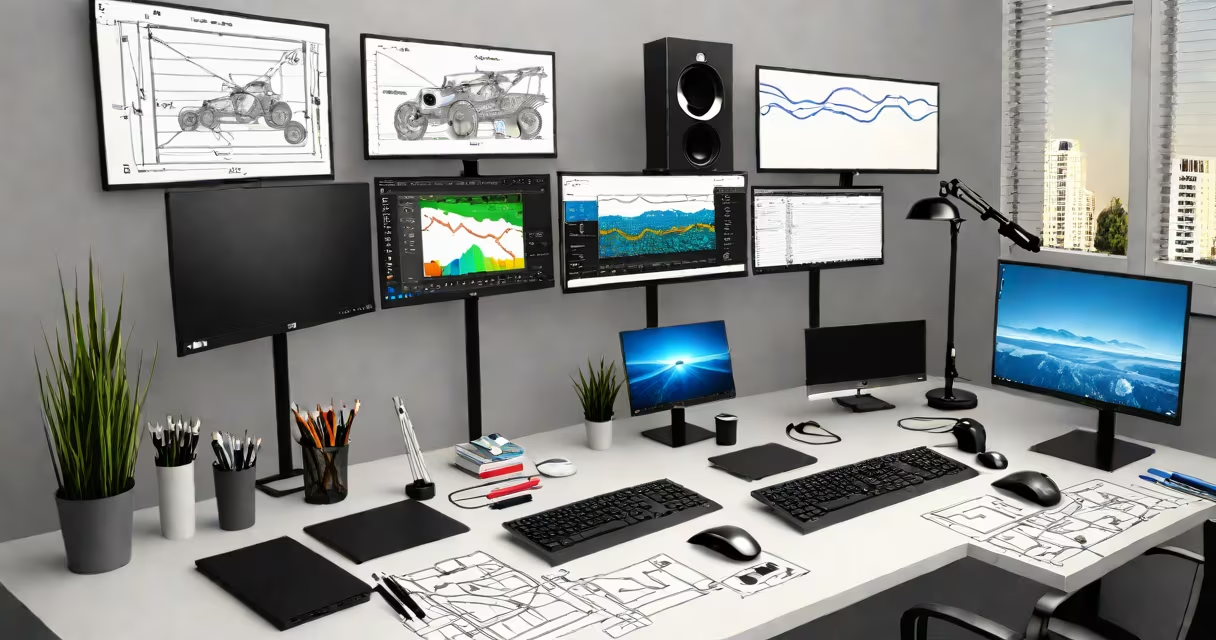
The best desktop for stock trading is a high-performance workstation designed for low-latency market data processing, stable 24/7 operation, and support for multiple monitors to track live charts and news feeds. It prioritizes consistent performance over power efficiency, uses enterprise-grade components, and integrates directly with trading platforms like Interactive Brokers, NinjaTrader, and MetaTrader.
Stock trading demands real-time responsiveness. A lag of even 100 milliseconds in data delivery can cost thousands during high-frequency trades. The best desktops for this purpose use Intel Core i9 or AMD Ryzen Threadripper processors, 64GB or more of DDR4 ECC memory, and NVMe SSDs with sustained read speeds above 3,000 MB/s. These specs ensure that price updates, order confirmations, and chart rendering happen instantly.
These systems run continuously, often 12 hours a day during market hours. They rely on industrial cooling solutions, redundant power supplies, and motherboard designs that prevent thermal throttling under sustained load. Unlike consumer laptops or budget PCs, they're built for uptime, not portability.
A desktop for stock trading processes market data streams through a direct connection to a broker's API or exchange feed. This data arrives in microseconds via low-latency network interfaces like 10GbE or fiber-optic Ethernet. The CPU parses tick data, calculates indicators, and triggers alerts or automated orders based on predefined rules.
For example, a day trader using NinjaTrader might set a rule: "Buy 100 shares of SPY when the 5-minute RSI crosses above 30 and volume exceeds 10,000 contracts." The desktop executes this logic within 10ms of the condition being met, assuming the network path is optimized. Delays beyond 50ms typically result in slippage or missed entries.
Multiple monitors extend the workspace. One screen shows live price charts from TradingView, another displays order books from a brokerage dashboard, and a third runs a terminal for executing algorithmic strategies. This layout reduces cognitive load and prevents missed signals during volatile periods.
Not all desktops meet the bar for serious trading. The following table outlines essential hardware differences between consumer-grade and professional trading workstations.
| Component | Consumer Desktop | Best Desktop for Stock Trading |
|---|---|---|
| Processor | Intel Core i7-13700K | Intel Xeon W-3475 or AMD Ryzen Threadripper PRO 7995WX |
| Memory | 32GB DDR4 | 64GB+ DDR4 ECC, registered modules |
| Storage | 1TB NVMe SSD | 2TB+ RAID 1 range with Samsung PM9A3 or WD Black SN850X |
| Network | Wi-Fi 6, Gigabit Ethernet | 10GbE NIC, dedicated network card for exchange feeds |
| OS | Windows 11 Home | Windows 10 Pro (64-bit), patched and locked down |
Enterprise-grade motherboards offer better power regulation and error correction. For example, ASUS Pro WS WRX80E-SAGE SE supports 128GB of RAM and four PCIe 5.0 slots-critical for adding FPGA-based data capture cards used in arbitrage strategies.
Trading software like MetaTrader 5 or TradeStation requires consistent system timing. A desktop with a stable clock speed and minimal background process interference avoids jitter. Some traders disable Windows Update, telemetry, and visual effects entirely to reduce variability in execution time.
Many assume that a gaming PC with a high-end GPU and RGB lighting is sufficient. That's incorrect. A GeForce RTX 4090 doesn't improve trade execution speed. The GPU handles visuals, not core logic. What matters is CPU performance, memory bandwidth, and network latency-not frame rates.
One non-obvious fact: many brokers provide free data feeds for their customers. But these feeds are not always low-latency. For instance, Interactive Brokers offers a "TWS" feed that can be delayed by 10-50ms depending on routing. Professional traders use dedicated exchange connections (like Nasdaq's Direct Market Access) that bypass public networks and deliver data in under 5ms.
In 2023, a retail trader in Chicago built a custom desktop using a Ryzen Threadripper 3990X, 128GB of ECC RAM, two 27-inch 4K monitors, and a 10GbE network card. He connected directly to his broker's API via a fiber link from a nearby colocation facility.
During a 2023 flash crash in the S&P 500 futures market, his system detected a 2% drop in under 12ms. It executed a stop-loss on his long position and placed a short entry within 35ms. His competitor using a standard laptop with Wi-Fi lost 40% of the opportunity due to network jitter and slower processing.
This setup cost $6,200 total-$1,800 for the case and PSU, $2,400 for the CPU and RAM, $1,200 for storage, and $600 for networking. The return on investment came from avoiding losses during volatile events and capturing micro-arbitrage opportunities.
The best desktop for stock trading isn't about flashy features-it's about consistency, speed, and resilience. It must perform identically across weeks of continuous operation. A single dropped packet or thermal spike can trigger a cascade failure in automated strategies.
When choosing, prioritize stability over brand name. A Dell Precision 7960 or HP Z8 G5 workstation meets enterprise standards. Avoid systems with integrated graphics or consumer GPUs. Always test with your actual trading platform under simulated market conditions.
The best desktop for stock trading is not a product-it's a tailored solution built around your strategy, data source, and execution speed requirements.