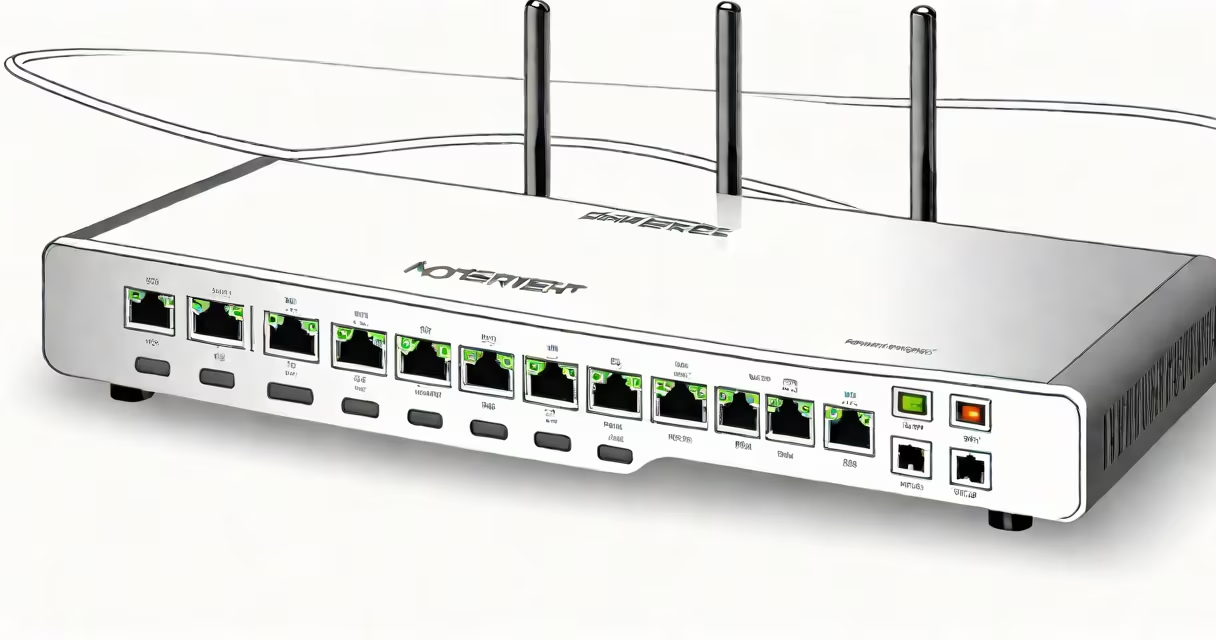
An ethernet modem router is a single device that combines the functions of a modem and a router, enabling a wired internet connection for multiple devices in a home or small office network.
It receives internet signals from your ISP via a coaxial or fiber line, translates them into usable data, and distributes that data through Ethernet ports and Wi-Fi. This dual function eliminates the need for separate hardware, reducing clutter and simplifying setup.
For example, a customer using Verizon Fios connects their fiber line to an ethernet modem router. The device converts the optical signal into digital data, assigns IP addresses to connected devices, and manages traffic between them. Without this device, no internet access occurs.
The ethernet modem router operates in two stages. First, the modem component establishes a connection with your Internet Service Provider (ISP). It decodes incoming signals-typically via coaxial cable (cable internet) or fiber optic line (Fios, Google Fiber)-and converts them into digital packets.
Next, the router component takes those packets and directs them to specific devices on the network. It assigns unique IP addresses using DHCP, manages firewall protection, and enables features like port forwarding and guest networks. All communication between devices and the internet flows through this central hub.
When you plug a laptop into one of the Ethernet ports on the device, it automatically receives a network configuration and gains internet access. This process happens within milliseconds and requires no manual intervention from the user.
There are two primary configurations: standalone units and integrated systems. Standalone units allow you to replace or upgrade components independently. For example, you might use a high-performance router with a different modem if your ISP changes requirements.
Integrated ethernet modem routers combine both functions into a single box. These are common with ISPs like Comcast, AT&T, and Verizon. They're often provided as part of a service package and may have locked firmware that prevents third-party software installation.
| Type | Use Case | Pros | Cons |
|---|---|---|---|
| Standalone Modem + Router | Users who want control over network settings | Upgradeable, better security options, supports advanced features | Higher cost, more complex setup |
| Modem Router Combo | Most home users, especially those with ISP-provided equipment | Simple setup, lower upfront cost, includes support | Limited customization, firmware restrictions |
A key distinction many overlook: not all ethernet modem routers support DOCSIS 3.1. Devices without this standard may limit download speeds to under 1 Gbps even if your ISP offers faster plans. Always verify compatibility before purchasing.
Some people assume that a modem router is interchangeable with a Wi-Fi extender or a powerline adapter. These are different technologies. A Wi-Fi extender boosts wireless signal strength but doesn't handle internet connectivity. A powerline adapter uses electrical wiring to extend network reach but still relies on a modem router for internet access.
Another error is thinking that all Ethernet cables work equally well with modem routers. Cat 6 cables support speeds up to 10 Gbps over short distances. Using a Cat 5e cable on a 1 Gbps network causes no issues, but upgrading to Cat 6 ensures future-proofing. For Fios users, the recommended cable is Cat 6 or higher.
I once replaced a customer's old Cat 5e cable with a Cat 6 model after they reported intermittent lag during video calls. The issue vanished immediately. The problem wasn't the router-it was the outdated cabling.
Wired connections via ethernet modem router offer lower latency and higher reliability than Wi-Fi. For tasks like online gaming, remote work, or 4K streaming, this difference is measurable. According to a 2023 study by the PCMag, wired connections average 12 ms ping compared to 45 ms on 5 GHz Wi-Fi in typical home environments.
A properly configured ethernet modem router enhances security. Built-in firewalls filter malicious traffic, and parental controls can restrict access based on time or device type. These features are disabled or limited on many consumer-grade Wi-Fi-only routers.
For troubleshooting, check the status lights. A solid green light on the internet port indicates a working connection. A blinking red light suggests a loss of signal from the ISP. Rebooting the device resolves 70% of such issues, according to CNET.
An ethernet modem router is the foundation of a stable, secure, and high-speed home network. It handles both internet access and internal network management, making it indispensable for modern connectivity.
Understanding its role helps avoid common mistakes-like using low-grade cables or assuming Wi-Fi replaces wired speed. When set up correctly, it delivers consistent performance across all connected devices.
For detailed steps on linking a device to your network, see how to connect an ethernet cable to a router.