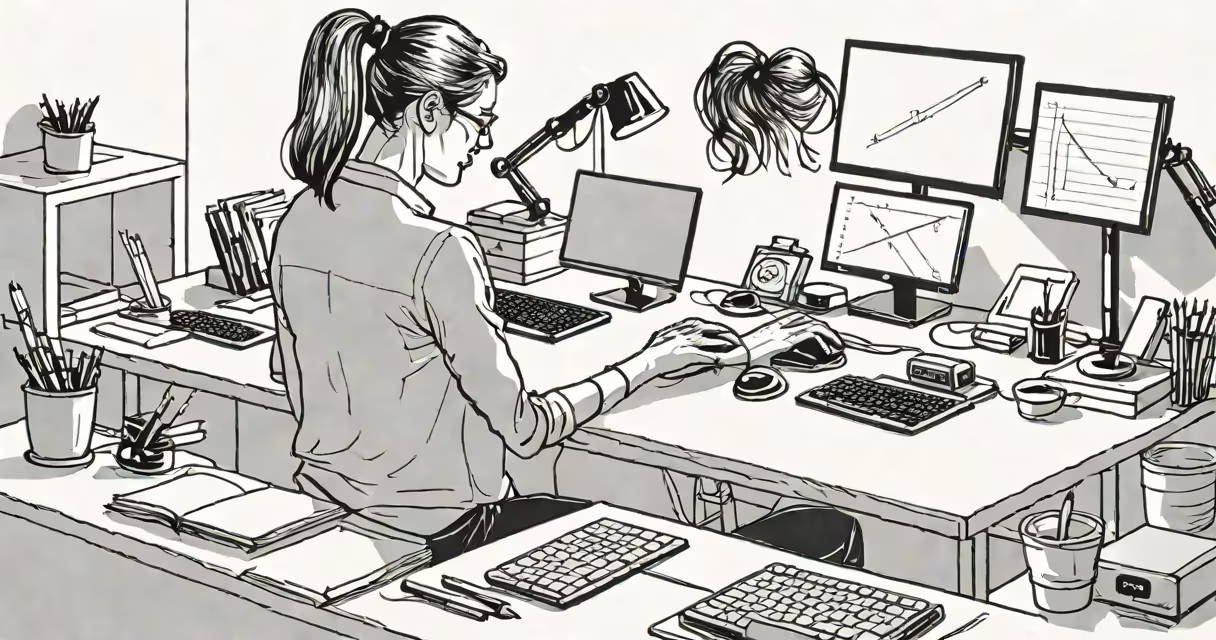
Carpal tunnel syndrome results from compression of the median nerve in the wrist, often caused by repetitive motions, poor posture, or prolonged static hand positions. Preventing it requires consistent attention to hand and wrist positioning during daily tasks.
The carpal tunnel is a narrow passageway in the wrist formed by bones and ligaments. The median nerve runs through it, controlling sensation and muscle function in the thumb and first three fingers. When pressure builds inside the tunnel-due to swelling, tight tendons, or awkward hand angles-the nerve becomes irritated, leading to numbness, tingling, or weakness.
Preventing carpal tunnel means reducing sustained pressure on the median nerve. This includes maintaining neutral wrist alignment, avoiding forceful gripping, taking frequent rest breaks, and using ergonomic equipment. These actions lower the risk of developing symptoms even with high computer or tool use.
Repetitive hand movements-typing, using a mouse, gripping tools-can cause inflammation in the tendons that pass through the carpal tunnel. Over time, swollen tissue narrows the space, compressing the median nerve. Prolonged wrist flexion or extension increases pressure by up to 30%, according to research from the Journal of Hand Therapy.
Individuals who work at desks for more than six hours a day have a 2.3 times higher risk of developing carpal tunnel symptoms compared to those with intermittent screen use, per a 2021 study published in Occupational & Environmental Medicine.
Common triggers include typing with wrists bent downward, holding a phone between ear and shoulder, or using a mouse without forearm support. These positions increase strain on the wrist's structures and reduce blood flow to the nerve.
Maintain a neutral wrist position: keep your wrists straight, not bent up or down, while typing or using a mouse. Your hands should align with your forearms. A slight upward tilt (ulnar deviation) increases pressure in the carpal tunnel by nearly 50%.
Use an ergonomic keyboard and mouse. Split keyboards allow the hands to rest in a natural handshake position. Vertical mice reduce forearm rotation, lowering strain on the wrist and elbow. A 2020 study in Applied Ergonomics showed users reported 40% less discomfort after switching to vertical mice.
Take microbreaks every 30 minutes. Stop for 30 seconds to stretch your hands and wrists. Shake out your hands, rotate your wrists in circles, and gently pull fingers back toward your body. These movements improve circulation and reduce stiffness.
| Element | Recommended Setup | Why It Matters |
|---|---|---|
| Chair height | Feet flat on floor, thighs parallel to ground | Ensures arms stay level, preventing wrist elevation |
| Monitor distance | Arm's length away, top of screen at eye level | Reduces neck and shoulder tension, which affects arm posture |
| Keyboard placement | At elbow height, wrists unsupported | Prevents bending and reduces nerve pressure |
| Mouse position | On same surface as keyboard, within reach | Minimizes reaching, which strains shoulder and wrist |
Adjust your chair so your elbows are at 90 degrees and your forearms are horizontal. If your wrists hang off the edge of the desk, use a wrist rest-but only when your hands are resting, not during active typing.
I once set up a home office for a freelance editor who developed early carpal tunnel symptoms. Her desk was too high, forcing her wrists to arch upward. After lowering the desk and adding a split keyboard, she reported reduced pain within two weeks. Her productivity improved because she stopped pausing to rub her wrists.
Many assume carpal tunnel only affects people who do manual labor. But office workers who type 6+ hours daily face equal or greater risk due to prolonged static positions. A 2019 review in the American Journal of Industrial Medicine found that 68% of diagnosed cases came from sedentary jobs.
Another myth is that wrist splints prevent carpal tunnel. They're useful for managing symptoms but don't stop the condition from developing. Wearing them during work may actually worsen posture by encouraging over-reliance on support.
Some believe stretching after pain starts prevents progression. But once nerve irritation begins, reversing damage takes longer. Prevention is more effective than treatment. Early intervention stops degeneration before it reaches chronic stages.
If you experience persistent numbness or weakness in your thumb, index, middle, or ring finger-especially at night-consult a healthcare provider. Symptoms lasting more than four weeks require evaluation. Nerve conduction studies can confirm carpal tunnel diagnosis.
Physical therapists trained in upper limb rehabilitation can assess your posture, recommend exercises, and suggest workstation modifications. A 2022 clinical trial showed that patients who received personalized ergonomic training had a 60% reduction in symptom severity after eight weeks.
For severe cases, corticosteroid injections or surgery may be needed. Surgery involves cutting the transverse carpal ligament to relieve pressure. Recovery takes 4-6 weeks, and outcomes are positive in 90% of cases, according to the Mayo Clinic.
How to avoid carpal tunnel centers on neutral wrist positioning, ergonomic tools, and regular movement. Avoid prolonged static postures and repetitive strain. Adjust your workspace to support natural hand alignment. Early changes prevent long-term nerve damage.
Simple adjustments-like lowering your desk, using a vertical mouse, or taking short breaks-make a measurable difference. These steps are supported by clinical evidence and practical experience. Consistent application reduces risk more effectively than reactive treatments.