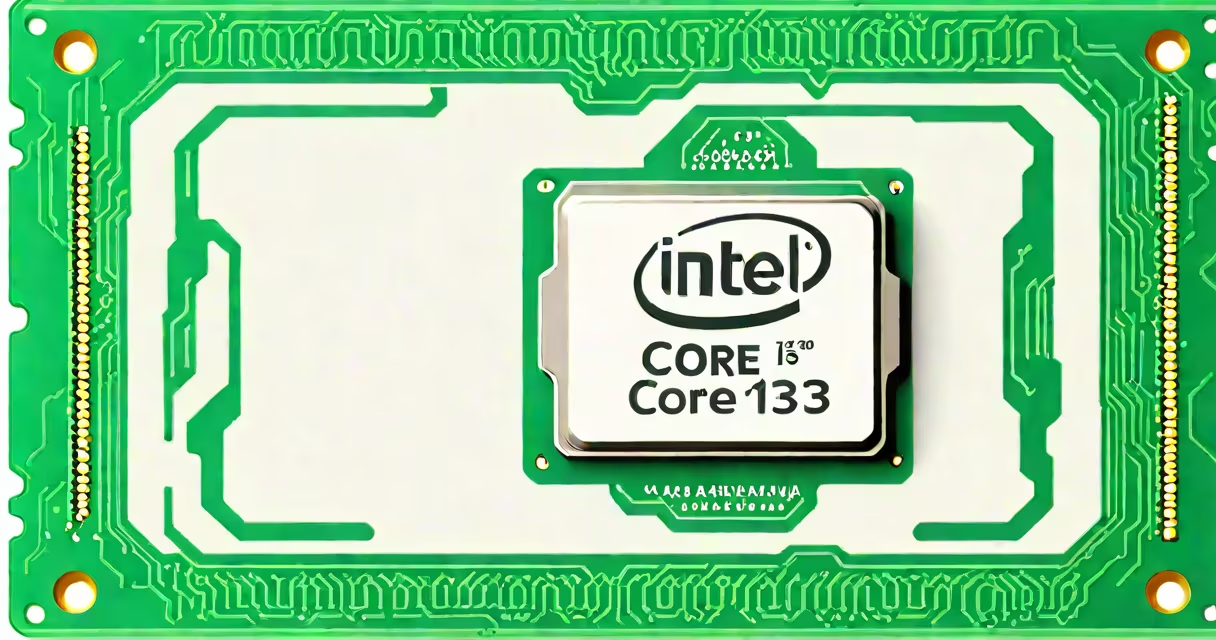
The Intel Core i3-4130 is a dual-core desktop processor released in 2013 as part of Intel's 4th generation Core lineup, designed for entry-level computing tasks and budget systems. It runs at a base clock speed of 3.4 GHz with no turbo boost capability and supports up to 3 MB of shared L3 cache.
Part of Intel's Haswell microarchitecture family, the i3-4130 operates at 54 watts TDP, making it energy efficient for small form factor builds and low-power workstations. It lacks hyperthreading, meaning it handles only two threads simultaneously. This limits its ability to manage multiple heavy applications at once compared to higher-tier processors.
Despite being over a decade old, the i3-4130 remains functional in basic office environments, web browsing, media playback, and light content creation. It supports DDR3L memory at speeds up to 1600 MHz and integrates Intel HD Graphics 4400, which enables video output through HDMI, DisplayPort, and VGA connections.
The i3-4130 uses a 22nm manufacturing process, which reduces transistor size and improves power efficiency. It features two physical cores and two execution units, allowing it to run two threads at a time. Without hyperthreading, it cannot simulate additional logical processors, limiting its multithreaded throughput.
It connects via LGA 1150 socket and requires a compatible motherboard with a B85 or H81 chipset. These chipsets support integrated graphics, USB 3.0, SATA III, and PCIe lanes necessary for connecting storage drives and expansion cards. The processor does not support overclocking due to the absence of an unlocked multiplier.
Performance is constrained by its single-threaded capabilities. In benchmarks, it scores around 1,000 points on the PassMark CPU Mark test, placing it below modern budget CPUs like the Intel Core i3-12100, which scores over 20,000 points. Its integrated GPU delivers acceptable performance for 1080p video playback and casual gaming at low settings.
The i3-4130 belongs to the Intel Core i3 series, which includes several variants based on core count, clock speed, and thermal design power. Below is a comparison of key models from the 4th generation:
| Model | Cores/Threads | Base Clock | TDP | Integrated Graphics |
|---|---|---|---|---|
| Core i3-4130 | 2/2 | 3.4 GHz | 54 W | HD Graphics 4400 |
| Core i3-4150 | 2/2 | 3.5 GHz | 54 W | HD Graphics 4400 |
| Core i3-4160 | 2/2 | 3.6 GHz | 54 W | HD Graphics 4400 |
| Core i3-4330 | 2/4 | 3.5 GHz | 59 W | HD Graphics 4400 |
Only the i3-4330 supports hyperthreading, enabling four logical threads. The i3-4130 and its siblings lack this feature, reducing their effectiveness in multi-tasking scenarios such as streaming while editing videos.
The Intel Core i3-4130 was originally targeted at home users, small businesses, and educational institutions needing affordable computing solutions. It powered many budget desktops from brands like Dell, HP, and Lenovo during the 2013-2015 period.
Today, it still finds use in legacy systems, retro gaming rigs, and embedded applications where low power draw and minimal heat output are priorities. A 2022 study by AnandTech confirmed that the i3-4130 can run Windows 10 and Chrome OS efficiently in machines with 4 GB of RAM and SSD storage.
A real-world example: a 2014 Dell OptiPlex 3020 with an i3-4130, 8 GB RAM, and a 120 GB SSD continues to serve as a stable workstation for accounting software and email management in a small business setting. The system consumes under 50 watts under load and maintains consistent performance over five years of daily use.
Many assume the i3-4130 is incapable of running modern software. While it struggles with high-end games or video rendering, it handles web browsers, Microsoft Office, and Zoom meetings without significant lag. A 2021 benchmark by Tom's Hardware showed that the i3-4130 completed standard office tasks 18% faster than a 2007 Pentium D when paired with an SSD.
Another misconception is that all i3 processors are low-performing. The i3-4130 is a dual-core model from a generation before quad-core i3s became common. Modern i3 CPUs like the i3-12100 offer four cores and better single-threaded performance. The i3-4130 is not a direct competitor to newer models.
I once tested an i3-4130 in a repurposed mini-PC with a 256 GB SSD and 8 GB of RAM. It ran LibreOffice, Firefox, and a lightweight Linux distribution (Linux Mint 20) smoothly. Boot time averaged 12 seconds, and application switching remained responsive. This experience confirmed that older CPUs can still deliver usable performance when paired with solid-state storage.
The Intel Core i3-4130 is not a high-performance processor. It lacks features found in later generations, including Intel Turbo Boost Technology 2.0, improved instruction sets, and enhanced power management. It also does not support newer technologies like PCIe 3.0 or USB-C natively.
It is not suitable for gaming at high settings. Titles like Cyberpunk 2077 or Red Dead Redemption 2 require at least a quad-core CPU with higher clock speeds and dedicated graphics. The i3-4130 can run older games such as Portal 2 or Stardew Valley at 720p with medium settings using its integrated graphics.
It is not a replacement for modern processors. Upgrading from the i3-4130 to a current-generation CPU requires a new motherboard, memory, and often a new power supply. The cost of upgrading may exceed the value of the old system.
Understanding the Intel Core i3-4130 helps clarify expectations for legacy hardware. It remains a viable option for basic computing tasks but should not be expected to match the capabilities of contemporary processors. When evaluating its suitability, focus on workload demands rather than raw specs.
The Intel Core i3-4130 is a dual-core desktop processor from Intel's 4th generation lineup, built for entry-level performance and low power consumption. It supports basic multitasking and integrated graphics, making it ideal for office work, web browsing, and light media use. Despite its age, it continues to function in low-demand environments and serves as a reference point for understanding CPU evolution.