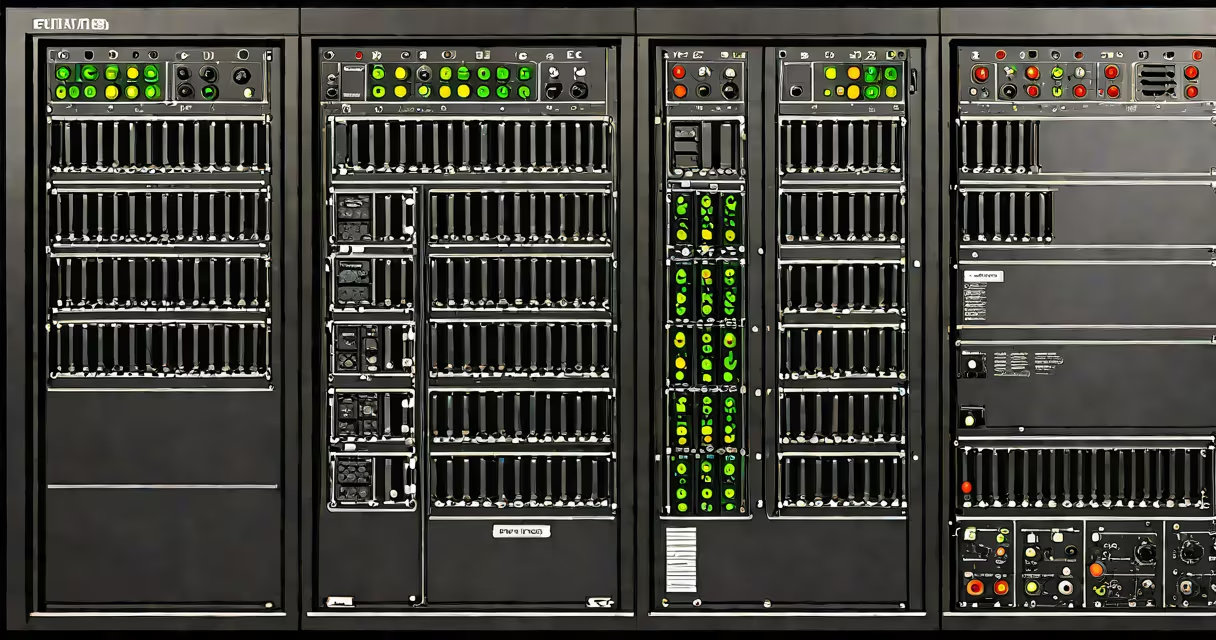
A server rack KVM console is a physical device mounted in a standard 19-inch equipment rack that allows a single operator to control multiple servers using one keyboard, video monitor, and mouse. It functions as a central interface for managing remote systems, especially in environments with high-density server deployments.
These consoles are designed for data centers, colocation facilities, and enterprise IT operations where consistent access to multiple servers is required. They eliminate the need for separate input devices per machine, reducing clutter and simplifying troubleshooting during outages or maintenance windows.
The term "KVM" stands for Keyboard, Video, and Mouse-three core components of the interface. A rack-mounted KVM console integrates all three into a single unit, often with support for multiple server connections via dedicated cables or network-based switching.
A server rack KVM console connects to multiple servers through dedicated KVM cables or via a networked KVM switch. When an operator selects a specific server from the console's interface, the system routes the keyboard input, video output, and mouse signals to that machine. The selected server's display appears on the console's monitor, and the connected keyboard and mouse control it directly.
Modern rack KVM consoles often support both local and remote access. Local access occurs when the operator uses the console's built-in monitor and input devices. Remote access is enabled through IP-based protocols such as IPMI (Intelligent Platform Management Interface) or proprietary web interfaces, allowing administrators to manage servers from anywhere with network connectivity.
For example, a data center with 24 servers can use a single 1U rack KVM console with 24 port selectors. An engineer logs in via a secure HTTPS portal, selects Server 13 from a dropdown menu, and gains full graphical control-including booting into BIOS or installing operating systems-without needing to physically move to the server cabinet.
Server rack KVM consoles come in several configurations based on scale, access method, and integration level. The most common types are:
| Type | Use Case | Connection Method | Example |
|---|---|---|---|
| Local KVM Switch | On-site management of 4-16 servers | Dedicated KVM cables (VGA/HDMI, USB) | AVerMedia KVM-16X1 |
| Networked KVM | Remote access across locations | IP over Ethernet (RJ45), HTTP/HTTPS | ATEN KVM-2048 |
| Integrated KVM with IPMI | High-availability data centers | Out-of-band management via BMC | Supermicro IPMI KVM |
Local KVM switches require direct cabling between the console and each server. This setup ensures low latency and high reliability but limits mobility. Networked KVMs transmit signals over TCP/IP, enabling remote login from any internet-connected device. These are ideal for distributed teams or offsite monitoring.
Some advanced models combine hardware KVM switching with embedded IPMI support. This allows access even when a server is powered off, as long as the baseboard management controller (BMC) remains active. According to Intel's documentation on IPMI, this capability enables out-of-band management for up to 96 servers using a single console interface.
Server rack KVM consoles are standard in data centers, hosting providers, and large-scale IT departments. They're critical during system recovery, firmware updates, and emergency troubleshooting-especially when network services fail and remote desktop tools become inaccessible.
For instance, during a power outage at a colocation facility, an administrator can use a KVM console to reboot a failed server, enter its BIOS settings, and adjust boot order-all without being on-site. This reduces downtime and avoids costly travel for field engineers.
They're also used in development labs where teams test software across multiple virtualized environments. A single KVM console can cycle between five different test machines, each running a different OS configuration, streamlining workflow and saving space.
Many people assume a KVM console is synonymous with a KVM switch. While related, they differ in form factor and function. A KVM switch is a standalone box that routes signals between computers and peripherals. A server rack KVM console is a purpose-built, rack-mountable unit designed for permanent installation in a server room.
Another misconception is that KVM consoles provide full remote desktop functionality. They do not. A KVM console gives direct, low-level access to the server's video output and input devices-equivalent to sitting in front of the machine. It does not emulate a GUI session or run applications remotely. For that, users still need tools like RDP, SSH, or VNC.
A less obvious but important distinction: not all KVM consoles support audio or USB 3.0. Some older models only handle VGA and PS/2 inputs. When selecting a console, verify compatibility with your server's video output (HDMI vs. DisplayPort) and peripheral types (USB-C, serial ports).
I once installed a KVM console in a small business data center using a 16-port model with HDMI and USB 2.0. After connecting eight servers, I discovered two had USB 3.0 keyboards that didn't register properly. The issue was resolved only after upgrading to a model with USB 3.0 passthrough. This taught me that cable standards matter-even in seemingly basic setups.
When choosing a server rack KVM console, consider:
According to the Uptime Institute's Tier Classification System, mission-critical data centers require redundant management paths. A KVM console with dual network interfaces and failover routing supports this requirement.
For organizations managing hundreds of servers, centralized KVM solutions like those from Dell and IBM integrate with existing monitoring platforms such as Nagios or Zabbix. These systems allow operators to see server status, initiate KVM sessions, and log actions-all within a unified dashboard.
A server rack KVM console is not a substitute for proper system monitoring or backup procedures. But it is a foundational tool for hands-on server administration, especially when automated tools fail or when physical intervention is necessary.
Understanding the difference between a KVM console and a KVM switch prevents misconfiguration and ensures correct deployment. Always confirm that your chosen solution supports your server hardware, network architecture, and security policies.