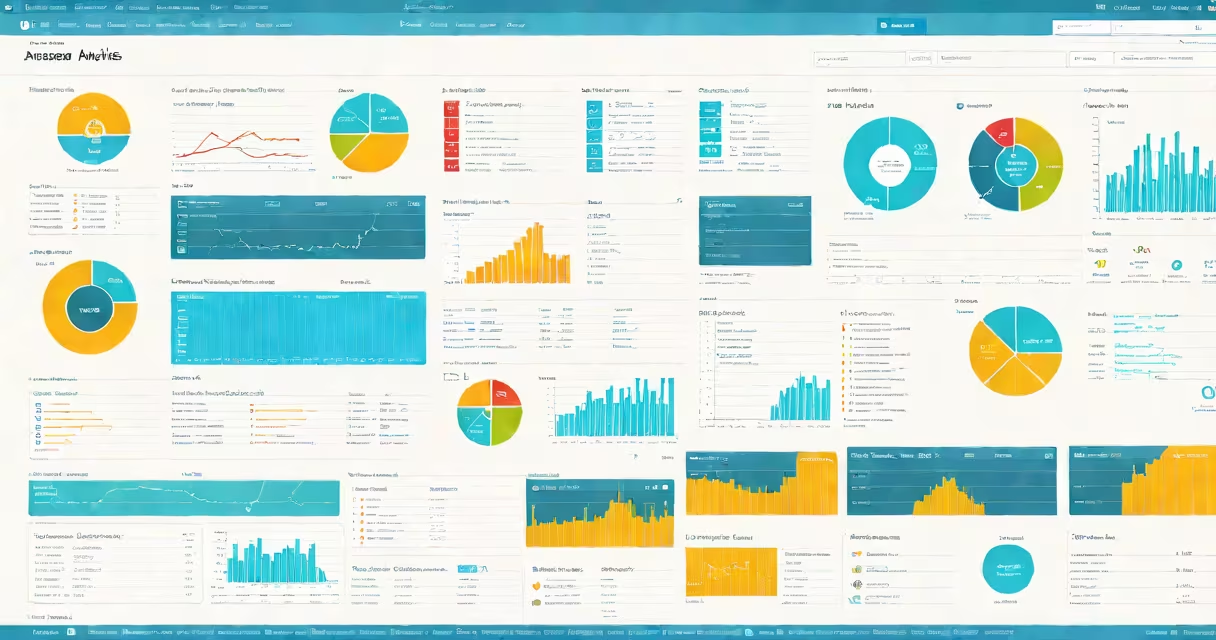
Azure Synapse Analytics is a cloud-native analytics service from Microsoft that integrates data integration, enterprise data warehousing, and big data analytics into a single platform. It allows organizations to analyze large volumes of structured and unstructured data using SQL, Spark, and machine learning tools-all within a unified environment.
Synapse Analytics runs on Microsoft Azure infrastructure and supports both serverless and provisioned compute options. Users can ingest data from multiple sources-including databases, files, streaming feeds, and external APIs-then process and analyze it using familiar tools like SQL and Apache Spark. The service scales automatically based on workload demands and charges only for resources consumed.
It's designed for enterprises needing to unify disparate data systems under one analytics umbrella. For example, a retail company might use Synapse to combine sales data from point-of-sale systems, customer behavior logs from mobile apps, and inventory records from supply chain databases-all in one place for cross-functional analysis.
Azure Synapse Analytics operates through a combination of dedicated and serverless execution engines. Data ingestion happens via pipelines that connect to sources such as Azure Blob Storage, Azure Data Lake Storage, SQL Server, or Kafka streams. These pipelines can be configured using Azure Data Factory or Synapse Studio's graphical interface.
Once data lands in storage, users can run queries using T-SQL in the dedicated SQL pool, which functions like a traditional data warehouse. Alternatively, they can use Apache Spark pools to process semi-structured or streaming data-ideal for real-time analytics on clickstream logs or IoT sensor feeds.
The platform also includes built-in machine learning capabilities. With Synapse, you can train models using Python or R scripts inside Spark pools, then deploy them to generate predictions on incoming data. For instance, a financial institution might use Synapse to detect fraud patterns by analyzing transaction sequences in near real time.
Synapse Analytics consists of several interconnected components:
These components can operate independently or together. A typical workflow involves ingesting raw data into a data lake, cleaning and enriching it using Spark, storing it in a SQL pool for reporting, and applying predictive models through ML services-all within the same workspace.
Organizations use Azure Synapse Analytics to solve problems requiring speed, scale, and flexibility. One common scenario is real-time operational intelligence. A logistics firm might stream GPS data from delivery vehicles into Synapse, apply geospatial analysis to improve routes, and surface performance metrics to managers via dashboards.
Another frequent application is unified customer analytics. A media company might combine viewing habits from streaming platforms, social media sentiment data, and demographic profiles to refine content recommendations. This requires blending structured data (user IDs, timestamps) with unstructured data (comments, video metadata).
For compliance-heavy industries like healthcare, Synapse supports role-based access control and encryption at rest and in transit. HIPAA-compliant deployments are available through Azure's private cloud offerings.
Azure Synapse Analytics is not a replacement for a traditional data warehouse in all cases. While it offers many features of a data warehouse-such as ACID transactions, indexing, and materialized views-it lacks some advanced optimization features found in mature on-premises solutions like Oracle Exadata or IBM Db2 Warehouse.
Many assume Synapse is only for large enterprises. However, small teams can use the serverless SQL option to query public datasets-like those from the U.S. Census Bureau or World Bank-without setting up any infrastructure. One team I worked with analyzed 20 years of climate data using just 100 GB of storage and paid less than $10 per month.
Another misconception is that Synapse requires deep expertise in Spark or SQL. While advanced users gain more control, the Synapse Studio interface provides visual tools for building pipelines, scheduling jobs, and monitoring performance-reducing the barrier to entry.
| Feature | Azure Synapse Analytics | Traditional On-Prem Data Warehouse |
|---|---|---|
| Deployment Model | Cloud-only (Azure) | On-premise or hybrid |
| Scalability | Auto-scaling; pay-per-use | Fixed capacity; requires hardware upgrades |
| Compute & Storage | Separate; independent scaling | Tightly coupled; limited flexibility |
| Real-Time Processing | Native support via streaming and Spark | Limited; often batch-only |
| Cost Structure | Per-second billing; low idle cost | High upfront capital spend; ongoing maintenance |
According to Microsoft's official documentation, Synapse was designed to reduce the complexity of managing multiple analytics tools. The service consolidates data engineering, data science, and business intelligence tasks into a single workspace, reducing context switching and improving collaboration.
For example, a marketing analyst can build a campaign performance dashboard using Power BI connected to a Synapse SQL pool, while a data engineer adjusts the pipeline feeding that pool-all within the same interface. This integration reduces time-to-insight by eliminating handoffs between teams.
One non-obvious difference is how Synapse handles resource allocation. In serverless mode, queries execute on shared, ephemeral compute nodes. This lowers cost for sporadic usage but introduces latency variability. In provisioned mode, users allocate dedicated compute resources, ensuring consistent performance for production workloads.
Consider a monthly financial report generation task. Using a provisioned SQL pool ensures predictable runtime-even during peak hours. But for ad-hoc exploration of a new dataset, serverless SQL avoids the overhead of provisioning and deprovisioning clusters.
Microsoft recommends using serverless for development, testing, and occasional reporting. Provisioned pools are better suited for mission-critical, scheduled reports or high-concurrency BI applications.
Azure Synapse Analytics is a unified platform for large-scale data analysis that combines the strengths of data warehousing, big data processing, and machine learning. It supports diverse workloads-from batch ETL to real-time streaming-and scales dynamically based on demand.
It's not a one-size-fits-all solution. Teams must choose between serverless and provisioned modes based on performance needs and budget. But for organizations already invested in the Microsoft system, Synapse offers a streamlined path to advanced analytics without the complexity of stitching together multiple tools.