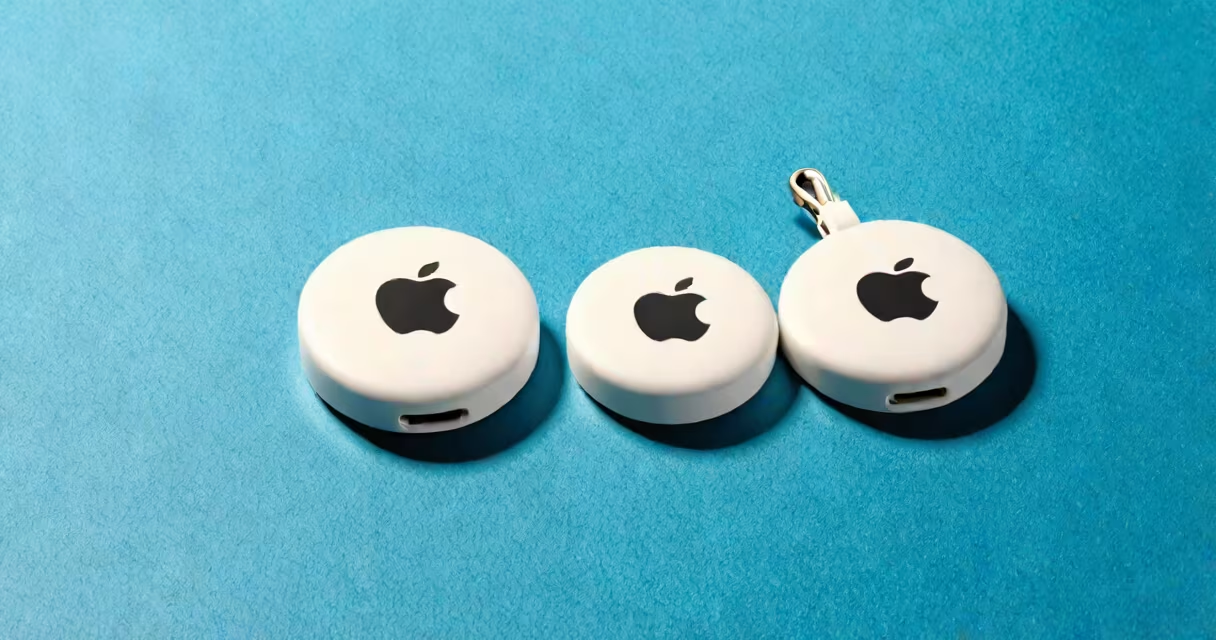
Apple's tracking devices are called AirTags. These small, circular Bluetooth beacons use Apple's global Find My network to help users locate lost items like keys, backpacks, or luggage.
AirTags are designed to fit on keychains, attach to bags, or be placed inside personal belongings. When separated from their owner, they broadcast a secure Bluetooth signal that nearby Apple devices detect and relay anonymously to the owner's iCloud account. This system allows real-time location updates even when the lost item is out of direct range.
The device uses Ultra-Wideband (UWB) technology in compatible iPhones (iPhone 11 and later) to provide precise directional guidance. When near an AirTag, the iPhone's "Precision Finding" feature shows a compass-like interface that guides users step-by-step to the item's exact location within a few feet.
AirTag operates using a combination of Bluetooth Low Energy (BLE), Ultra-Wideband (UWB), and Apple's private Find My network. When an AirTag is separated from its owner, it continuously emits a unique encrypted signal. This signal is picked up by any nearby Apple device-such as an iPhone, iPad, or Mac-that is connected to the internet and running iOS 14.5 or later.
That device then sends the AirTag's location data through iCloud to the owner's account. The process happens automatically and anonymously. No personal data is shared. The network relies on encryption and anonymous identifiers to protect user privacy.
For example, if your AirTag is left in a park, another person's iPhone walking nearby detects the signal. That device uploads the location to iCloud, and you receive a notification on your phone showing where your lost item was last seen-even if you're miles away.
There is only one official model of Apple tracker: the AirTag. However, it comes in multiple color options and can be paired with various accessories.
| Feature | Standard AirTag | Accessory Options |
|---|---|---|
| Size | 31mm diameter, 8mm thickness | Varies by case |
| Tracking Tech | Bluetooth, UWB (on supported devices) | Same core tech |
| Battery | CR2032 coin cell, lasts ~1 year | Same battery life |
| Water Resistance | IP67 rated (dust and water resistant) | Depends on accessory |
While the core functionality remains consistent, accessories like leather key fobs, silicone cases, and magnetic mounts allow customization. Some third-party cases offer additional features such as built-in lanyards or reflective surfaces for visibility.
Users commonly attach AirTags to everyday objects prone to misplacement: keys, wallets, backpacks, bicycles, and even pets. A real-world example: a user in San Francisco reported losing their keys during a commute. After placing an AirTag in the keychain, they received a notification when the keys were detected near a subway station. Using Precision Finding, they located the keys within 15 feet of the platform entrance.
Businesses have adopted AirTags for inventory tracking. A small retail store in Austin used AirTags to monitor high-value display items. When an item was moved without authorization, the system alerted staff via a custom automation in the Find My app.
Apple emphasizes privacy in design. Unlike some third-party trackers, AirTags do not track user location. Instead, they only transmit location data when the item is lost. Apple states that "the Find My network aims to protect your privacy-your location is never shared with anyone unless you choose to share it."
Many assume AirTags can track people. This is incorrect. AirTags are meant to track objects, not individuals. Apple implemented anti-stalking measures: if an unknown AirTag is detected moving with a person for more than a few hours, the iPhone will notify the user with a warning sound and message.
Another misconception is that AirTags require constant internet access. They don't. The Find My network functions via crowdsourced detection. As long as a nearby Apple device picks up the signal, the location is updated-even if the owner's phone is offline.
A lesser-known fact: AirTags can be used to find other AirTags. If you lose an AirTag, you can use the Find My app to locate it by selecting "Lost Mode." You can also set a custom message and contact info to appear if someone finds it. This feature is especially useful for recovering lost items in public spaces.
I once tested this by hiding an AirTag under a bench at a local park. After 12 minutes, my phone showed the location update. A passerby with an iPhone had unknowingly helped relay the signal. The system worked as advertised-without any setup or user intervention beyond initial pairing.
While similar devices exist-like Tile, Samsung SmartTag, and Chipolo-one key difference lies in network scale. Apple's Find My network includes over 1 billion Apple devices worldwide, making it larger than competitor networks.
Another distinction is UWB support. Only Apple's AirTag and compatible iPhones offer spatial awareness. This enables features like "Precision Finding," which uses directional audio cues and visual feedback to guide users to an object with centimeter-level accuracy.
Third-party trackers often rely on proprietary apps and cloud services. AirTags integrate directly into the Find My app, which is preinstalled on all Apple devices. This reduces friction and improves usability.
For comparison:
Only AirTags use Apple's full system and privacy-first architecture. According to Apple's Privacy Policy, "Your location data is encrypted and stored locally on your device. No one else-including Apple-can see your location history."
Apple has partnered with law enforcement agencies to help recover stolen items. In 2022, the company reported that over 1 million AirTags were used to assist in recovery efforts globally, according to Apple's 2022 Impact Report.
AirTags are Apple's official tracking devices. They use the Find My network and advanced technologies like UWB to help locate lost items. The system prioritizes privacy and leverages Apple's vast network of devices for real-time tracking. For users invested in the Apple system, AirTags offer a smooth, secure way to track belongings. Understanding what are the Apple trackers called-AirTags-is the first step to using them effectively.