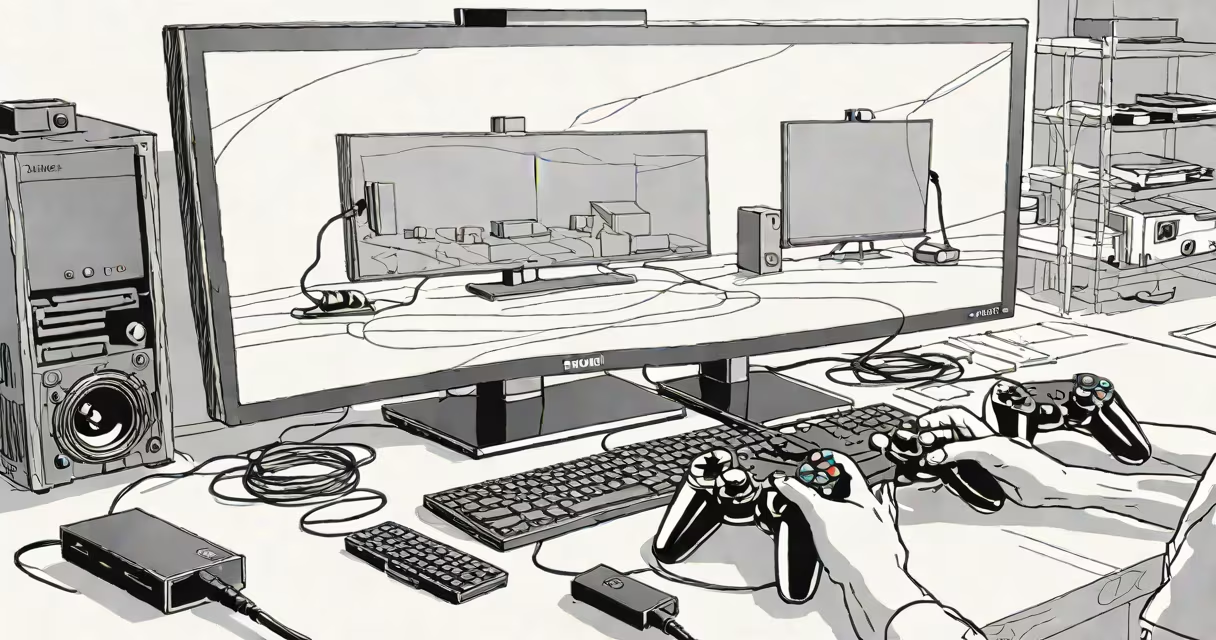
An HDMI capture card is a hardware device that converts an HDMI video signal into a digital format compatible with computers, enabling recording, live streaming, or broadcasting. It acts as a bridge between HDMI output devices-like game consoles, cameras, or media players-and a computer's USB or PCIe interface.
These devices are essential for anyone needing to digitize video from HDMI sources. They support resolutions up to 4K at 60Hz, depending on model and connection type. The captured stream appears as a video input in software such as OBS Studio, Streamlabs, or Adobe Premiere Pro.
For example, a PlayStation 5 outputs 4K HDR video via HDMI. Without a capture card, that signal cannot be recorded or streamed directly to a PC. A capture card receives the HDMI signal, processes it, and sends it to the computer as a video feed.
The core function of an HDMI capture card is signal conversion. When an HDMI source-such as a camera, console, or Blu-ray player-outputs video, it sends a high-bandwidth digital signal. Standard computers lack native HDMI input ports, so they cannot receive this signal directly.
The capture card intercepts the HDMI signal, decodes the video and audio streams, compresses them using codecs like H.264 or H.265, and sends the data over USB 3.0, USB-C, or PCIe to the host computer. The computer then renders the stream in capture software.
Some cards perform real-time encoding on-board, reducing CPU load. Others rely entirely on the computer's processor. High-end models with dedicated encoder chips (like those using NVIDIA NVENC or AMD VCE) deliver smoother performance during live streams or long recordings.
There are two primary categories of HDMI capture cards: external USB-based units and internal PCIe cards. Each serves different use cases based on portability, performance, and setup complexity.
| Type | Connection | Best For | Max Resolution | Latency |
|---|---|---|---|---|
| External USB 3.0/3.1 | USB-C or USB-A | Laptop users, travel, casual streamers | 4K@30fps (some 4K@60fps) | Higher (100-300ms) |
| Internal PCIe | PCIe slot (e.g., PCIe x4) | Desktop streamers, professional studios | 4K@60fps, 10-bit color | Lower (50-100ms) |
External capture cards are plug-and-play. They require no internal installation and work with laptops and desktops alike. Internal cards offer better bandwidth and lower latency but need access to a computer's motherboard.
A key distinction often missed: not all HDMI capture cards support HDR. Many budget models downscale HDR content to standard changing range (SDR), resulting in washed-out colors and reduced contrast. Always verify HDR support in product specs.
Live streamers use HDMI capture cards to broadcast gameplay from consoles like Xbox Series X or PlayStation 5. A streamer connecting a PS5 to a capture card via HDMI can record 4K footage or stream directly to Twitch or YouTube.
Content creators use them to import footage from DSLR cameras or camcorders. A vlogger shooting with a Sony Alpha 7 series camera can connect it to a capture card and edit the raw footage in DaVinci Resolve without needing a separate recorder.
I once used a Magewell USB Capture HDMI Pro to record a retro gaming tournament. The card handled 1080p60 from multiple arcade machines simultaneously. It required no driver installation on macOS, and the output appeared instantly in OBS. The only issue was overheating during extended sessions-common with compact external units.
An HDMI capture card is not the same as a video splitter or HDMI extender. Splitters duplicate the HDMI signal to multiple displays. Extenders extend the cable distance. Neither captures or digitizes the signal.
Also, a capture card does not replace a graphics card. It doesn't render or display video-it only receives and converts it. The computer's GPU still handles playback and rendering in editing software.
Another misconception: all capture cards support 4K. Some claim 4K compatibility but only handle 4K at 30 frames per second, not 60. Others fail to support 10-bit color depth or HDR metadata. Always check the manufacturer's specifications against your source device.
When selecting an HDMI capture card, prioritize resolution support, frame rate, codec efficiency, and compatibility with your operating system. Windows, macOS, and Linux all have varying levels of driver support.
For example, the Elgato Cam Link 4K supports 4K@60fps, HDR, and automatic color space detection. It uses USB 3.0 and works natively with OBS and QuickTime. However, it requires a USB 3.0 port and may not function reliably on older laptops.
However, the AVerMedia Live Gamer Portable 2 supports 1080p60 and includes a built-in battery, making it ideal for on-location events. But it lacks 4K support and requires a separate power adapter.
Always test compatibility with your source device. Some capture cards don't support HDCP (High-bandwidth Digital Content Protection), which blocks video from protected sources like Netflix or certain games. If you're capturing from a streaming service, ensure the card explicitly supports HDCP bypass or has a known workaround.
An HDMI capture card is a necessary tool for anyone who needs to convert HDMI video into a digital format usable by computers. Whether for live streaming, recording, or professional editing, it enables smooth integration between HDMI sources and digital workflows.
Understanding the differences between external and internal models, verifying HDR and resolution support, and confirming compatibility with your source and software avoids common pitfalls. Choose based on your use case-not just price or brand name.