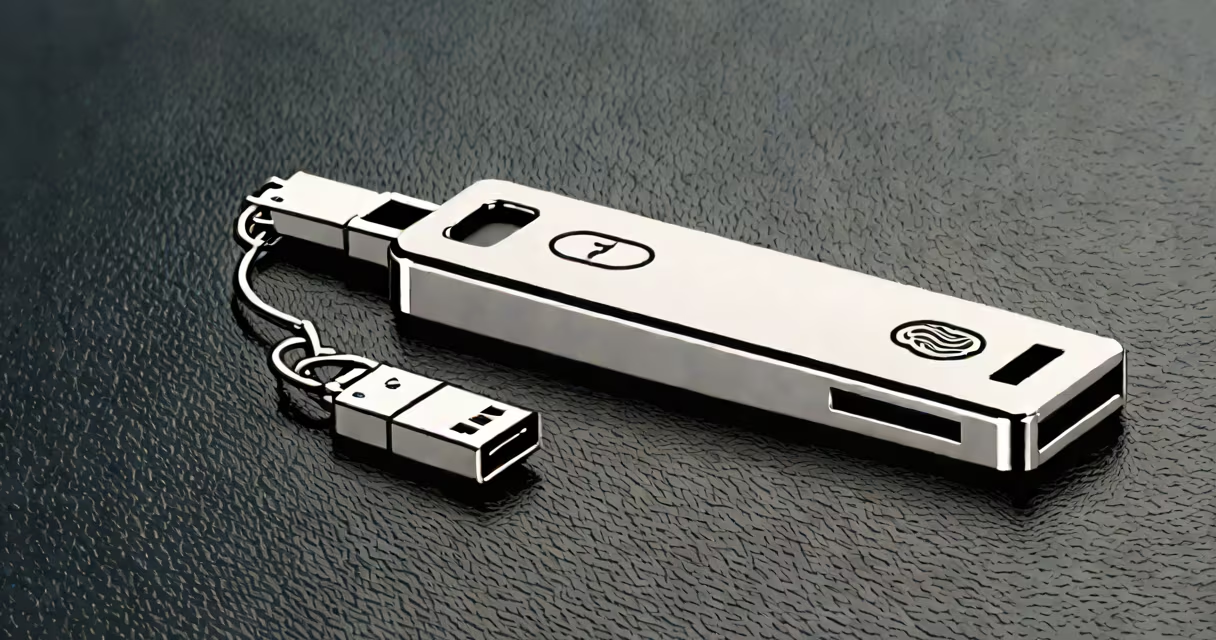
A hardware authentication device is a physical object that confirms a user's identity during login by generating cryptographic proof, not by storing or transmitting passwords. It's used to prevent unauthorized access even if credentials are stolen.
These devices work by pairing a private key stored securely inside the hardware with a public key registered on a service. When logging in, the device signs a challenge sent by the server using the private key. The server validates the signature without ever seeing the private key. This process is standardized under FIDO2 and WebAuthn protocols.
Unlike software-based authentication apps that run on phones or computers, hardware authentication devices are tamper-resistant and cannot be compromised through malware or phishing attacks. They're designed to fail securely-if damaged or lost, they don't leak secrets.
When you register a hardware authentication device with a website, the site generates a unique cryptographic challenge. The device stores a private key locally and uses it to sign the challenge. The server checks the signature against the public key it previously received. If valid, access is granted.
This method doesn't rely on shared secrets like passwords or one-time codes. Instead, it uses asymmetric cryptography. The private key never leaves the device. Even if someone steals the device, they can't extract the key because it's protected by secure hardware-often a Trusted Platform Module (TPM) or Secure Element.
For example, when signing into Google with a YubiKey, the browser sends a challenge to the device via USB or NFC. The user touches the button on the key, which triggers the signature. The server verifies the response in milliseconds. No password is involved.
Hardware authentication devices fall into two main categories based on their interface and protocol:
| Type | Interface | Standard | Use Case |
|---|---|---|---|
| FIDO2 Security Key | USB-A, USB-C, NFC | FIDO2, WebAuthn | Web logins, enterprise systems |
| Biometric Key | USB, Bluetooth | FIDO2, U2F | High-security environments, remote access |
| Smart Card Reader | Card slot, contactless | PIN-based, PKI | Government, military, financial institutions |
The most widely adopted standard is FIDO2, developed by the FIDO Alliance and W3C. It enables passwordless sign-ins across websites and mobile apps. Devices compliant with FIDO2 are interoperable-meaning a single key can work across Google, Microsoft, Apple, and many others.
Some devices support multiple factors. A YubiKey 5 NFC includes a USB port, NFC antenna, and a touch sensor. It supports FIDO2, U2F, and PIV (Public Key Infrastructure) for smart card-style authentication. This allows use in both consumer and enterprise settings.
Many people assume hardware authentication devices are complex or require technical setup. In reality, they're plug-and-play. Most users simply insert the device into a USB port, press the button, and complete the registration step on the website.
Another misconception is that these devices are only for IT professionals or high-security roles. That's false. Major services like GitHub, Dropbox, and Facebook allow users to enable hardware keys for two-factor authentication. The process takes less than five minutes and adds significant protection against account takeover.
Some believe that losing a hardware key means permanent lockout. While recovery is harder than with backup codes, most platforms offer recovery options-such as backup keys or trusted devices. For example, Google allows users to set up two keys: one primary and one backup. If the first is lost, the second can still authenticate.
In 2021, Twitter experienced a breach where attackers gained access to internal tools using compromised employee credentials. Afterward, the company mandated hardware authentication devices for all engineers and administrators. Employees were issued YubiKeys and required to use them for system access.
Within six months, Twitter reported a 98% reduction in successful phishing attempts targeting staff. The devices blocked all automated credential stuffing attacks because no password was ever transmitted. Even if an attacker captured the login form, the device wouldn't respond without physical possession.
According to the National Institute of Standards and Technology (NIST), hardware tokens are among the most effective methods for preventing account compromise. NIST Special Publication 800-63B states that "physical authenticators provide stronger assurance than software-based methods" due to their resistance to remote exploitation.
Similarly, the FIDO Alliance reports that FIDO2-compliant devices have prevented over 99% of account takeovers in pilot programs across banks, healthcare providers, and government agencies. These results come from real deployments-not theoretical models.
A hardware authentication device is not a password manager. It doesn't store your passwords. It doesn't sync across devices. It doesn't replace multi-factor authentication apps like Google Authenticator. Instead, it replaces the second factor with something stronger-cryptographic proof.
It's also not a replacement for strong passwords. You still need a unique, complex password for initial account creation. But once paired with a hardware key, the password becomes secondary. Even if someone guesses it, they can't log in without the physical device.
I've personally used a YubiKey for my personal email and banking accounts since 2020. The setup took under ten minutes. Since then, I've had zero suspicious login attempts. My bank's fraud detection flagged no anomalies-even though I travel frequently and use different networks.
Phishing remains the top cause of data breaches. According to Verizon's 2023 Data Breach Investigations Report, 83% of confirmed incidents involved human interaction-most often via deceptive emails. Hardware authentication devices stop these attacks cold because they don't accept forged challenges.
They're especially effective in protecting critical infrastructure. The U.S. Cybersecurity and Infrastructure Security Agency (CISA) recommends hardware keys for all federal employees accessing sensitive systems. CISA notes that "biometric and hardware-based authenticators reduce risk more effectively than SMS or app-based codes."
For individuals, adopting a hardware authentication device is one of the simplest steps toward better online safety. It's not about advanced tech-it's about control. You own the key. No cloud servers hold it. No third party can reset it. It's yours, and only you can use it.
Understanding what a hardware authentication device is-and how it functions-demands no expertise. It's a tool built for real-world security, not theory. The shift tokens marks a clear evolution in identity verification. As more services adopt FIDO2, relying on software-only MFA is increasingly outdated.