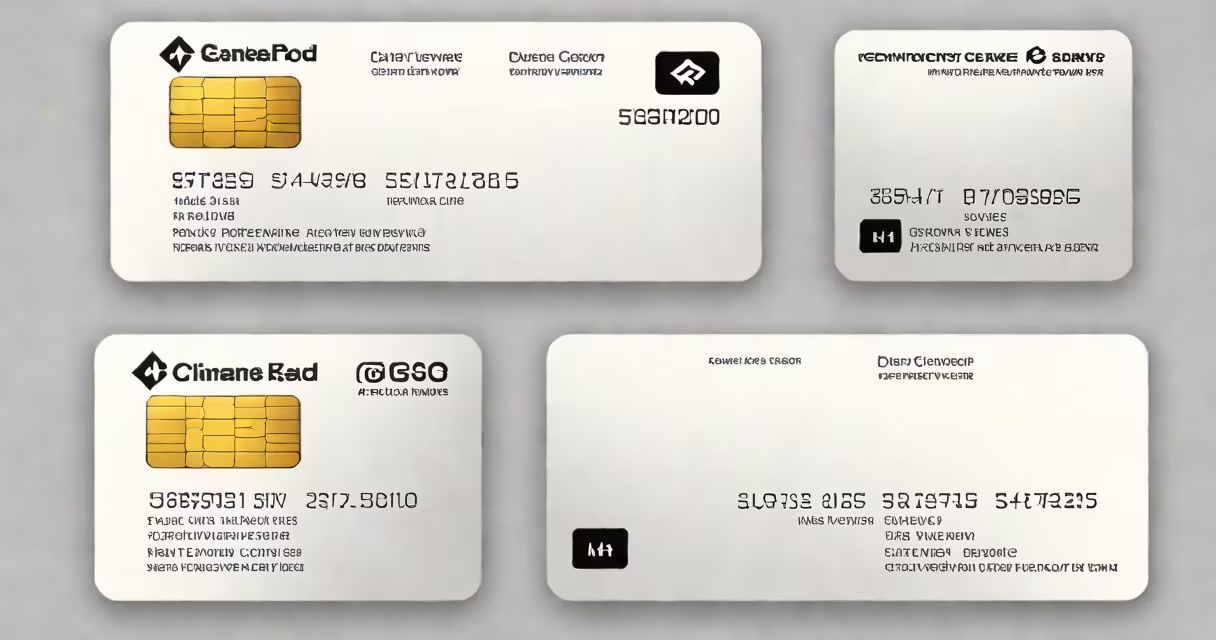
A debit card resembles a standard plastic payment card, typically measuring 85.60 mm × 53.98 mm (3.37 in × 2.13 in), conforming to ISO/IEC 7810 ID-1 size. It displays your name, account number, expiration date, and a security code. The card is issued by a bank and linked directly to your checking account.
Debit cards feature a magnetic stripe on the back, a chip near the top left, and a signature panel below the stripe. The front includes the cardholder's name, card number, and the issuing bank's logo. Most cards also display a 3-digit CVV code on the back, required for online transactions.
Card designs vary by issuer. Some banks offer custom designs with photos or personal images. However, core elements remain consistent: the embossed card number, expiration date, and chip. These features ensure compatibility with ATMs and point-of-sale terminals worldwide.
Every debit card contains several standardized elements. The primary identifier is the 16-digit account number, embossed on the front. This number corresponds to your specific checking account and is used for transaction processing.
The expiration date appears in MM/YY format, usually near the right side of the card. It indicates when the card becomes invalid. Cards expire annually and are automatically replaced by the bank. The CVV code, a 3-digit number on the back, adds security during card-not-present transactions.
The chip, located in the upper-left corner, enables contactless payments and secure authentication. It stores encrypted data and verifies identity during in-store purchases. Magnetic stripes on the back allow older terminals to process transactions, though they're less secure than chip-based systems.
| Element | Location | Purpose |
|---|---|---|
| Card Number | Front, center | Identifies account and enables transactions |
| Expiration Date | Front, right side | Indicates card validity period |
| Chip | Top-left corner, front | Enables secure, contactless payments |
| CVV Code | Back, right side | Protects against unauthorized online use |
| Signature Panel | Back, lower-right | Validates cardholder identity for in-person purchases |
While both cards share similar dimensions and layout, they differ in function and appearance. A debit card draws funds directly from your checking account. A credit card uses borrowed money, requiring repayment with interest.
Visually, debit cards often have a blue or green color scheme. Credit cards may use gold, silver, or black accents. Some premium credit cards feature holographic logos or metallic finishes. Debit cards rarely include such embellishments.
Both cards use EMV chips and magnetic stripes. But debit cards require a PIN for in-person transactions. Credit cards typically use a signature or digital authorization. This difference affects how the card is processed at checkout.
Many assume all debit cards look identical. In reality, banks customize designs based on product tier. Basic cards are plain white or gray. Premium accounts receive cards with embossed logos, special colors, or even biometric sensors.
Another misconception is that the card number is the same as your account number. The card number is a unique identifier assigned by the bank. Your actual account number is longer and stored internally. Sharing the card number without the CVV is safer than revealing the full account number.
Some users confuse debit cards with prepaid cards. Prepaid cards resemble debit cards but aren't linked to a bank account. They're loaded with funds upfront and often lack overdraft protection. Their appearance is similar, but their functionality differs.
Consider a Chase Sapphire Debit card. On the front, the name "John Doe" appears in raised letters. Below it, a 16-digit number runs horizontally: 4123 4567 8901 2345. The expiration date is "05/26" in the lower-right corner.
On the back, a magnetic stripe spans the bottom. Above it, a signature panel with "Authorized Signature" printed beneath. To the right, a 3-digit CVV code: 732. The chip sits in the upper-left corner, embedded in the card surface.
This card functions at ATMs, retail stores, and online. When used in-store, the chip authenticates the transaction. Online, the CVV prevents unauthorized access. The card is valid until May 2026. After that, Chase sends a replacement card automatically.
I once replaced my old debit card after a year of use. The new card had a different color scheme and a smaller chip. My bank offered a choice between a standard white card and a blue version with a minimalist design. Both had the same functionality, but the visual differences affected how I perceived them.
When I used the blue card at a grocery store, the cashier asked if it was a credit card. The sleek design and subtle branding made it appear more premium. This shows how appearance influences perception-even when function remains unchanged.
Modern debit cards include multiple layers of protection. The chip generates a unique code for each transaction, preventing reuse. Magnetic stripes are less secure and vulnerable to skimming. That's why many retailers now reject cards with worn stripes.
Some banks issue virtual debit cards for online use. These exist only digitally and don't have physical components. They still display a 16-digit number, expiration date, and CVV-but no chip or signature panel. Virtual cards reduce risk of theft since they're not lost or stolen.
Always check your card for signs of tampering. Scratches on the chip, misaligned numbers, or unusual textures suggest fraud. Report suspicious cards immediately. The FDIC reports that 72% of debit card fraud cases involve compromised physical cards, not digital ones.
Understanding what a debit card looks like helps identify scams. Fraudulent cards often have blurry printing or incorrect fonts. Real cards follow strict design standards set by Visa and Mastercard.
Knowing what a debit card looks like reduces fraud risk. Always verify the card's authenticity before using it. Confirm the bank's logo, correct expiration date, and proper embossing. These steps protect your funds and prevent identity theft.